

The Expression Matcher is an Enterprise only feature. Accounts on the free and trial
plan do not have access to this feature. If you are on the free or trial plans and would
like access to this feature, contact the WireMock team today
to discuss an enterprise plan for your organisation.
How It Works
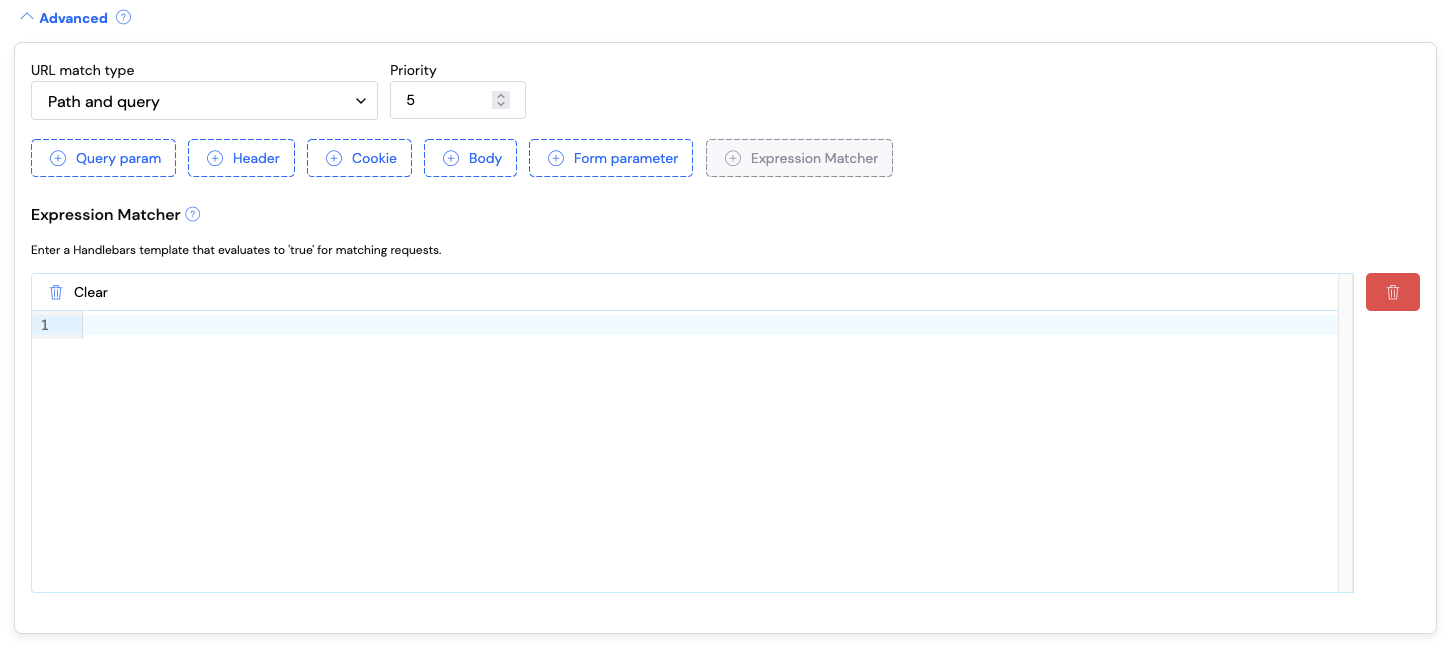
The Expression Matcher evaluates a Handlebars template that must return the stringtrue for the request to match. If the template evaluates to anything other than true
then the stub won’t match. You have access to the full request object within the
template, for example:
request.body- the request body as a stringrequest.query.<paramName>.[0]- query parameter values (as arrays)request.headers.<headerName>- header valuesrequest.method- the HTTP methodrequest.path- the request path
When to Use The Expression Matcher
Prefer standard matchers when possible. WireMock’s built-in matchers (equality, regex, JSON path, etc.) are optimized for their specific tasks and should be your first choice. Use the Expression Matcher when you need:- Comparative logic – comparing values from different parts of the request
- OR conditions - matching when any one of several conditions is true
- Complex boolean logic – combining multiple conditions with AND/OR/NOT
- Cross-field validation – validating relationships between different request fields
Note: The Expression Matcher works alongside standard matchers. You can use query parameter matchers, header matchers, body matchers, and the Expression Matcher together on the same stub. The request will only match if ALL matchers pass.
Examples
Example 1: Comparing Date Query Parameters
Scenario: You have an API endpoint that acceptsstartDate and endDate query
parameters as ISO 8601 timestamps. You want to ensure startDate is before endDate.
Standard matchers can validate that each date exists and matches a format, but they
cannot compare the two values against each other.
Expression Matcher Template:
- Query param
startDatematches regex^\d{4}-\d{2}-\d{2}T\d{2}:\d{2}:\d{2}\.\d{3}Z$ - Query param
endDatematches regex^\d{4}-\d{2}-\d{2}T\d{2}:\d{2}:\d{2}\.\d{3}Z$ - Expression Matcher:
{{lt request.query.startDate.[0] request.query.endDate.[0]}}
endDate is before
startDate, you can change the Expression Matcher to:
Example 2: OR Logic for Query Parameter Validation
Scenario: Your API requires query parametersW, X, Y, and Z, each needing
to match a specific regex pattern. If ANY parameter fails validation, you want to
return a 400 Bad Request with a helpful error message.
Without the Expression Matcher, you would need to create 4 separate stubs—one for
each parameter that could fail. With the Expression Matcher, you can handle this with
a single stub.
Expression Matcher Template (matches when ANY parameter is invalid):
Example 3: Validating JSON Body Field Relationships
Scenario: You’re mocking a payment API where the request body containsamount
and currency. For GBP transactions, the amount must be at least 100 (100 pence).
For USD transactions, the amount must be at least 50 (50 cents).
Expression Matcher Template:
Example 4: Header-Based Conditional Matching
Scenario: Your API supports both API key and Bearer token authentication. You want a stub that matches requests with EITHER a validX-API-Key header OR a valid
Authorization header with a Bearer token.
Expression Matcher Template:
val helper ensures the header value
is extracted as a string and handles empty values correctly.
Example 5: Cross-Request Validation (Header Must Match Body Field)
Scenario: Your API requires that theX-Idempotency-Key header matches the
requestId field in the JSON body. This ensures clients are correctly correlating
their idempotency keys with their request payloads.
Expression Matcher Template:
Debugging
When your Expression Matcher template isn’t working as expected, you can use the request log to help debug the issue. How it works: Any content in your Handlebars template that doesn’t resolve totrue or false will be output in the serve event for the request in the request log.
This allows you to inspect the actual values being evaluated.
Debugging technique: Temporarily modify your template to output the values you’re working with:
- That you’re accessing the correct request fields
- The actual values being compared
- Whether values are in the expected format
true or false.
Available Helpers
The Expression Matcher supports all the same helpers you can use when writing dynamic response templates.Best Practices
- Use standard matchers first - They’re optimized for their specific tasks
- Combine matchers - Use standard matchers for basic validation, Expression Matcher for complex logic
- Use debugging output - When templates aren’t working, output values to the request log to diagnose issues