

Create WireMock stubs
Create basic WireMock stub from scratch
If a JSON file is placed in the mappings or messages folder, or contains the"mappings" or "messageMappings"key,
the plugin recognizes it as a WireMock stub file and provides appropriate coding assistance.
- In the Project tool window, right-click a folder (or press ⌘СmdN or AltInsert) and select New | File.
- In the New File dialog that opens, enter a name of the file. For example, you can enter
mappings/my-stub.json, and the plugin will create the mappings folder and place the new file within it. - Start typing a key to get suggestions for applicable keys and their quick documentation.

Additional coding assistance
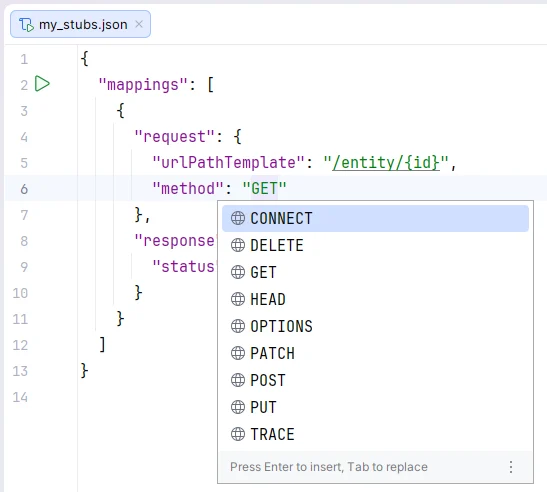
This coding assistance also includes the following features (supporting both HTTP and message stubs):- Code completion of HTTP methods in JSON properties like
request.methodin HTTP stubs, andtrigger.requestPattern.methodand other request pattern locations in message stubs
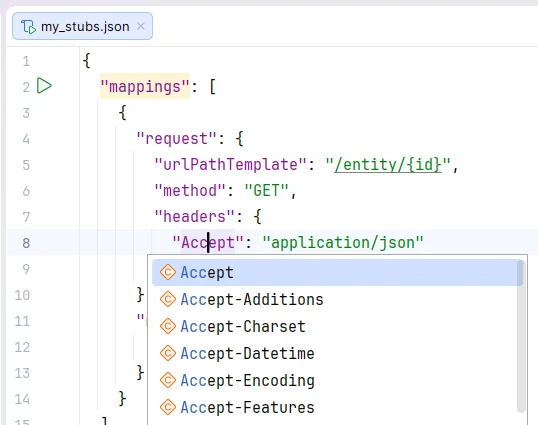
- Code completion of HTTP headers in JSON properties like
request.headers.*
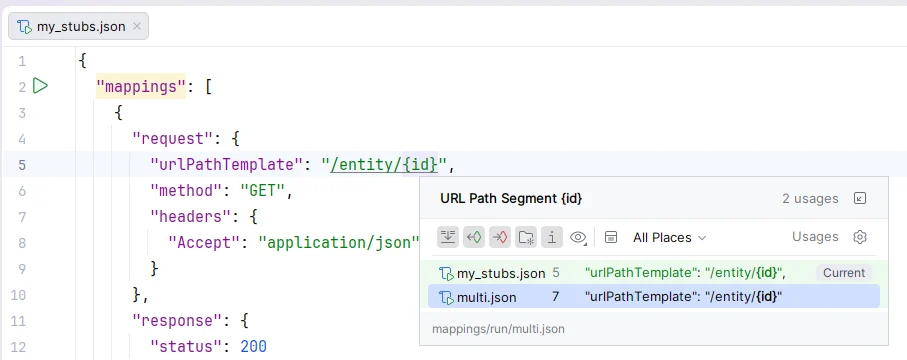
- Server URL references in JSON properties like
request.url, and in parameters of Java methods likeWireMock.urlEqualTo()
There is a known issue on the JetBrains YouTrack for when such URLs contain backslashes like
entity/\\d+: IJPL-213562Create WireMock stubs from Endpoints tool window
- Open the Endpoints tool window (View | Tool Windows | Endpoints).
- Right-click an endpoint and select Generate WireMock Stubs.

Create WireMock stubs from OpenAPI specification
- Open an OpenAPI specification file.
- Click
 and select Generate WireMock Stubs.

Run WireMock server
- Open your stub file.
- Click
 in the upper-right part of the editor.


Send HTTP requests
Use the IntelliJ IDEA HTTP Client to send HTTP request to the WireMock server and preview responses.- Run your WireMock server.
- Open your stub JSON file.
- Place the caret at your endpoint URL, press ⌥Option↩Enter or Alt↩Enter (Show Context Actions), and select Generate request in HTTP Client.

Enable support for Handlebars templates
IntelliJ IDEA provides coding assistance for templating language used in WireMock response templates. To use this feature, you need the Handlebars/Mustache plugin to be installed and enabled.- Open your HTTP or message stub JSON file.
- In the upper-right part of the editor, click
 (Use Handlebars Templates). If the Handlebars/Mustache plugin is not installed, the action will install it.
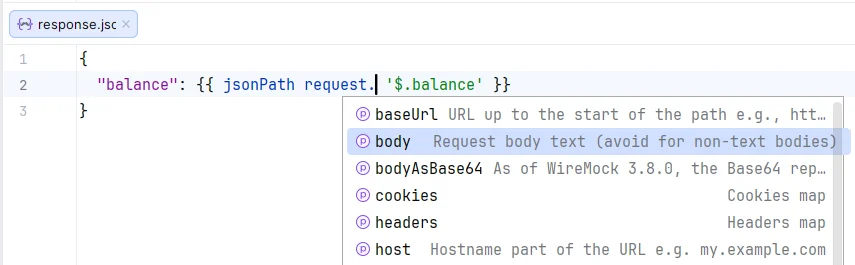
__files directory as response templates and provide appropriate Handlebars coding assistance including
- Completion for Handlebars helpers

- Completion for request model and message model attributes
There are known issues on the JetBrains YouTrack regarding code completions in injected Handlebars fragments:
IJPL-244102 and IJPL-252906.
WireMock run configuration
Create: Run | Edit Configurations | + | WireMock

Main parameters
- Name: Specify a name for the run configuration.
- Stubs file: Location of the JSON file with WireMock stubs to run.
- Server port: HTTP port number for the WireMock server. Enter
0to dynamically determine a port.
Modify options
- Verbose output: Turn on verbose logging to stdout (equivalent for the
--verboseoption). - Enable global Handlebars templating: Render all response definitions using Handlebars templates by passing the
--global-response-templatingWireMock command line option. - JRE: Select a JRE if you wish to run WireMock in a different runtime environment than JBR.