> ## Documentation Index
> Fetch the complete documentation index at: https://docs.wiremock.io/llms.txt
> Use this file to discover all available pages before exploring further.
# How to Configure Webhooks and Callbacks
> Triggering asynchronous outbound HTTP calls
WireMock Cloud offers the ability to make highly configurable asynchronous outbound HTTP calls triggered by inbound
requests.
This pattern is commonly referred to as webhooks or callbacks and is a common design in APIs that need to proactively
notify their clients of events or perform long-running processing asynchronously without blocking.
## Usage
Webhooks are triggered when a configured stub is matched.
Each stub may have any number of webhooks configured on it.
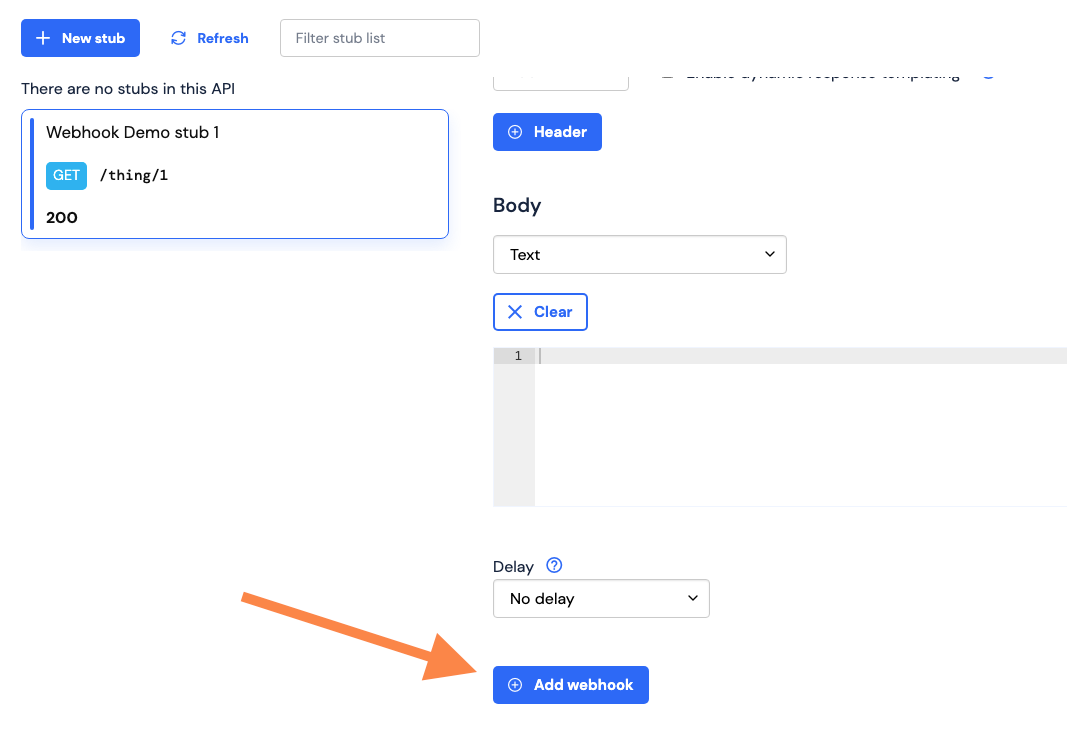
To add a webhook to a stub in WireMock Cloud, navigate to the stub you wish to configure, scroll down to the webhooks
section of the stub form, underneath the response section, and click "Add webhook".
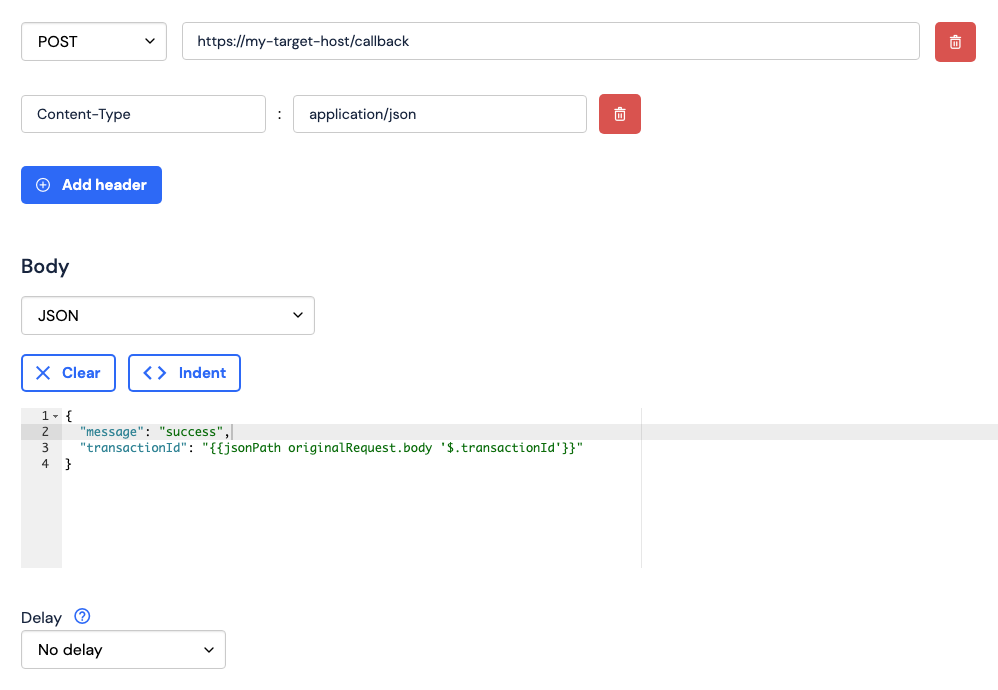
 Once you have added a webhook to your stub, you can configure each attribute of the request that will be sent when the
webhook is triggered, including the request method (e.g. `POST`, `GET`, `PUT`), URL, headers, and body.
A delay can also be set on the webhook, in the same fashion as [response delays](/delays), to stop the webhook's
requests from firing until some time after the triggering request is received.
Once you have added a webhook to your stub, you can configure each attribute of the request that will be sent when the
webhook is triggered, including the request method (e.g. `POST`, `GET`, `PUT`), URL, headers, and body.
A delay can also be set on the webhook, in the same fashion as [response delays](/delays), to stop the webhook's
requests from firing until some time after the triggering request is received.
 ### Templating
The request URL, header values and body attributes of a webhook can all be [templated](/response-templating), allowing
for request attributes to be set dynamically using the content of the triggering request, as well as other contexts like
[dynamic state](/dynamic-state) and [data sources](/data-sources).
All data and helpers that are available to the response body template are also available to the webhook request
attribute templates, **with the caveat that the triggering request is referenced by `originalRequest`, rather than
`request`.**
## Observing webhooks
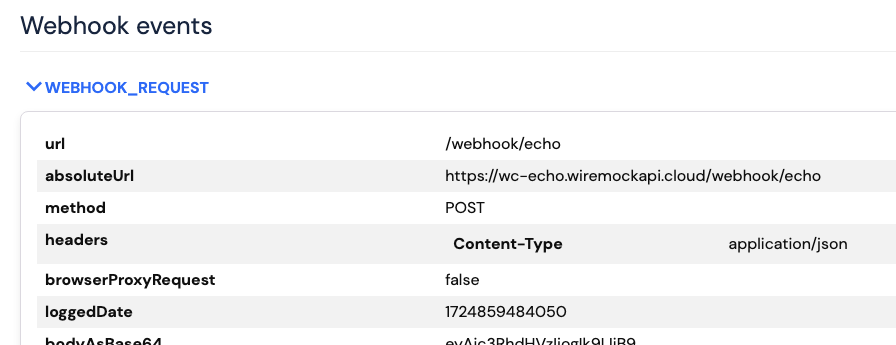
All webhook request and responses are logged as events under the request that triggered them, and can be viewed in your
mock API's request log page.
### Templating
The request URL, header values and body attributes of a webhook can all be [templated](/response-templating), allowing
for request attributes to be set dynamically using the content of the triggering request, as well as other contexts like
[dynamic state](/dynamic-state) and [data sources](/data-sources).
All data and helpers that are available to the response body template are also available to the webhook request
attribute templates, **with the caveat that the triggering request is referenced by `originalRequest`, rather than
`request`.**
## Observing webhooks
All webhook request and responses are logged as events under the request that triggered them, and can be viewed in your
mock API's request log page.
 ## Asynchronous timing
Webhooks are fired asynchronously, outside the lifetime of the request that triggered them, so may not have completed by
the time the triggering request has completed.
There is also no guarantee of the order that webhooks will be fired if multiple webhooks are configured on a stub.
## Asynchronous timing
Webhooks are fired asynchronously, outside the lifetime of the request that triggered them, so may not have completed by
the time the triggering request has completed.
There is also no guarantee of the order that webhooks will be fired if multiple webhooks are configured on a stub.