> ## Documentation Index
> Fetch the complete documentation index at: https://docs.wiremock.io/llms.txt
> Use this file to discover all available pages before exploring further.
# Teams and Collaboration
> Working with teams & sharing Mock APIs in WireMock Cloud
The basic unit of ownership in WireMock Cloud is the Organisation. Mock APIs,
users and teams all belong to a single organisation. View your organisation by
clicking on the [Organisation page](https://app.wiremock.cloud/account/organisation) under your account.
Here you will see all the teams and users in your organisation:
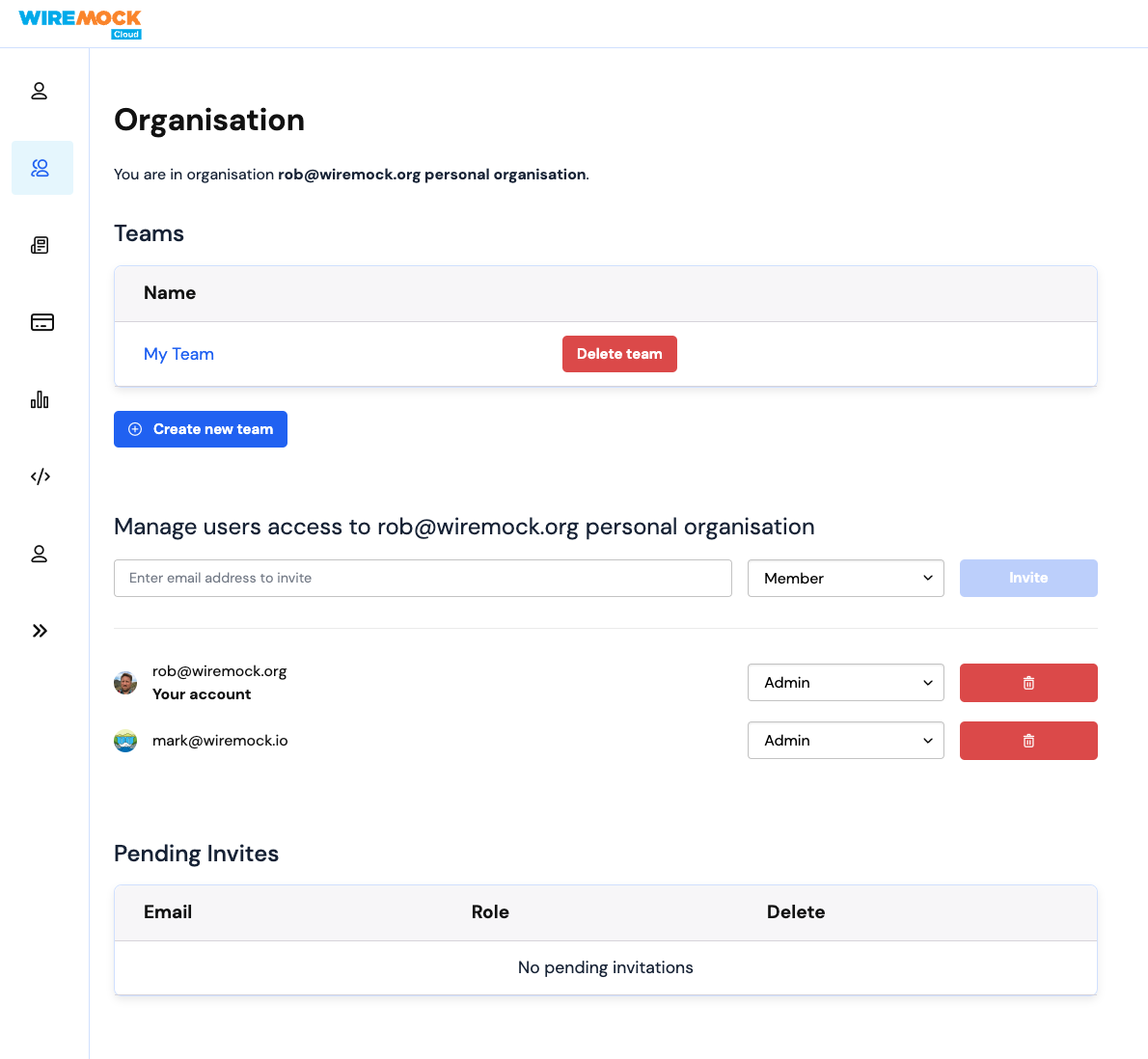 There are two roles for users in an organisation: **Member** and **Admin**.
A **Member** can create and interact with mock APIs, API templates and teams.
In addition an **Admin** can:
* invite other users to the organisation
* remove users from the organisation (provided at least one Admin remains)
* change the role of any member of the organisation (provided at least one Admin
remains)
* administer all mock APIs, teams and other resources belonging to the
organisation
### Inviting users
An admin can enter the email address of a person not yet in the organisation,
and a role, to invite that person to join the organisation. They will then show
up in the "Pending Invites" section.
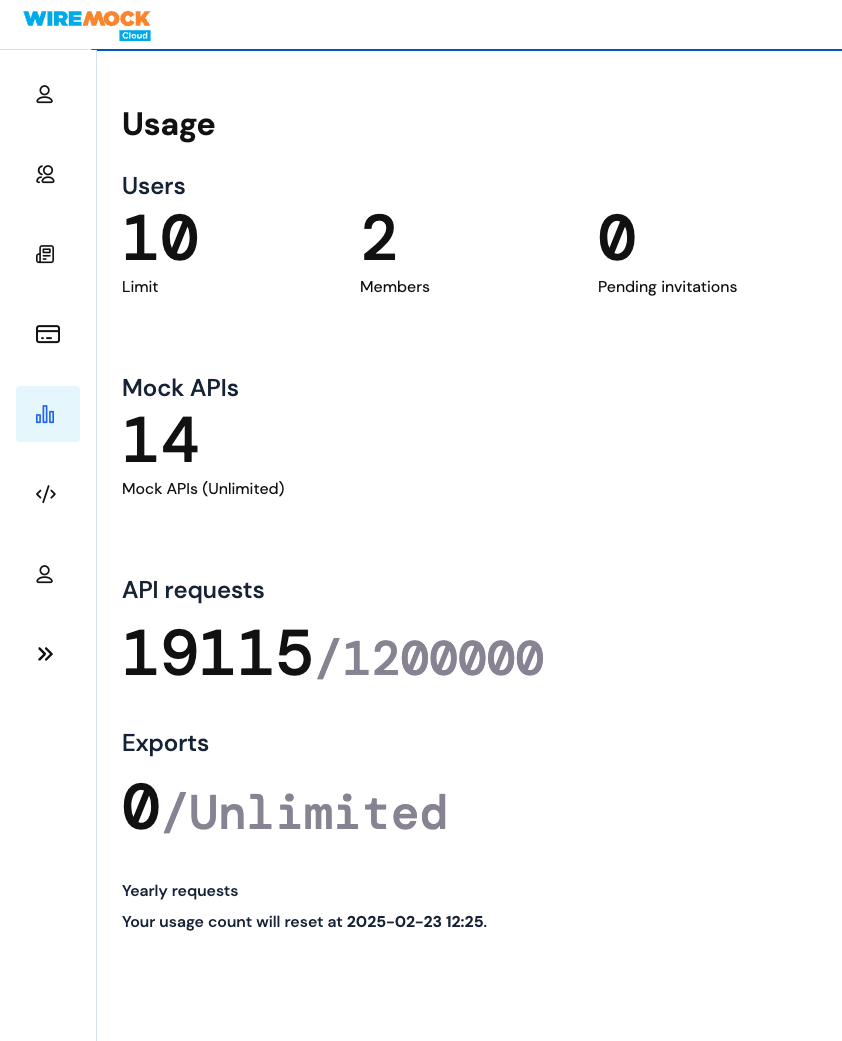
Organisation members and pending invitations count towards your subscription plan's total number
of seats. You can see your usage and limits on the [Usage page](https://app.wiremock.cloud/account/usage) under your account.
There are two roles for users in an organisation: **Member** and **Admin**.
A **Member** can create and interact with mock APIs, API templates and teams.
In addition an **Admin** can:
* invite other users to the organisation
* remove users from the organisation (provided at least one Admin remains)
* change the role of any member of the organisation (provided at least one Admin
remains)
* administer all mock APIs, teams and other resources belonging to the
organisation
### Inviting users
An admin can enter the email address of a person not yet in the organisation,
and a role, to invite that person to join the organisation. They will then show
up in the "Pending Invites" section.
Organisation members and pending invitations count towards your subscription plan's total number
of seats. You can see your usage and limits on the [Usage page](https://app.wiremock.cloud/account/usage) under your account.
 ## Teams
Any member of an organisation can create a team (provided the organisation is on
a plan which allows multiple members).
The person who creates the Team will automatically be given the Admin
role on that team. In addition all organisation admins can administer a team.
There are two roles for users in a team: **Member** and **Admin**.
A **Member** will inherit whatever permissions the team has been granted.
In addition an **Admin** can:
* add other members of the organisation to the team
* remove users from the team
* change the role of any member of the team
An organisation admin can enter the email address of a person not yet in the
organisation, and a role, to simultaneously invite that person to join the
organisation *and* add them to the team.
## Mock APIs
Any member of an organisation can create a mock API.
The person who creates the mock API will automatically be given the Admin
role on that mock API. In addition all organisation admins can administer a mock
API.
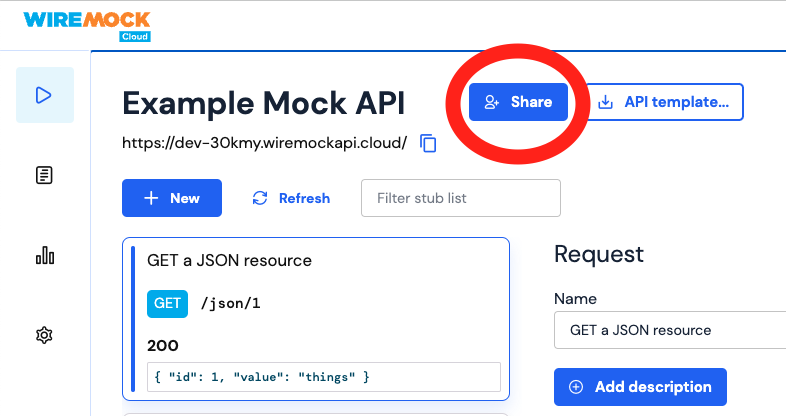
Mock APIs can be shared with other members of your organisation by clicking the
"Share" button on the API:
## Teams
Any member of an organisation can create a team (provided the organisation is on
a plan which allows multiple members).
The person who creates the Team will automatically be given the Admin
role on that team. In addition all organisation admins can administer a team.
There are two roles for users in a team: **Member** and **Admin**.
A **Member** will inherit whatever permissions the team has been granted.
In addition an **Admin** can:
* add other members of the organisation to the team
* remove users from the team
* change the role of any member of the team
An organisation admin can enter the email address of a person not yet in the
organisation, and a role, to simultaneously invite that person to join the
organisation *and* add them to the team.
## Mock APIs
Any member of an organisation can create a mock API.
The person who creates the mock API will automatically be given the Admin
role on that mock API. In addition all organisation admins can administer a mock
API.
Mock APIs can be shared with other members of your organisation by clicking the
"Share" button on the API:
 Mock APIs can be shared with "All in organisation", any of the Teams
belonging to the same organisation as the mock API, and any individual members of the organisation.
When sharing a mock API, you can choose the role of the organisation, team or
person you are sharing the API with as one of **Admin**, **Write** or **Read**.
* **Read** allows: viewing the API, its stubs, and who else has permissions on it.
* **Write** also allows changing the settings of the API, and adding, changing or
deleting the stubs on the API.
* **Admin** also allows deleting the mock API, and adding & removing people, teams & the organisation, or
changing their roles, in the "Share" widget.
An organisation admin can enter the email address of a person not yet in the
organisation, and a role, to simultaneously invite that person to join the
organisation *and* give them that role on the mock API.
## Single Sign-on (SSO)
WireMock Cloud supports auto-provisioning and SSO for user management via any SAML 2.x capable IdP.
Mock APIs can be shared with "All in organisation", any of the Teams
belonging to the same organisation as the mock API, and any individual members of the organisation.
When sharing a mock API, you can choose the role of the organisation, team or
person you are sharing the API with as one of **Admin**, **Write** or **Read**.
* **Read** allows: viewing the API, its stubs, and who else has permissions on it.
* **Write** also allows changing the settings of the API, and adding, changing or
deleting the stubs on the API.
* **Admin** also allows deleting the mock API, and adding & removing people, teams & the organisation, or
changing their roles, in the "Share" widget.
An organisation admin can enter the email address of a person not yet in the
organisation, and a role, to simultaneously invite that person to join the
organisation *and* give them that role on the mock API.
## Single Sign-on (SSO)
WireMock Cloud supports auto-provisioning and SSO for user management via any SAML 2.x capable IdP.