tl;dr
If you just want to take a look at the end result of this tutorial you can select the "rest-example" API template instead of "blank" when when creating a new mock API.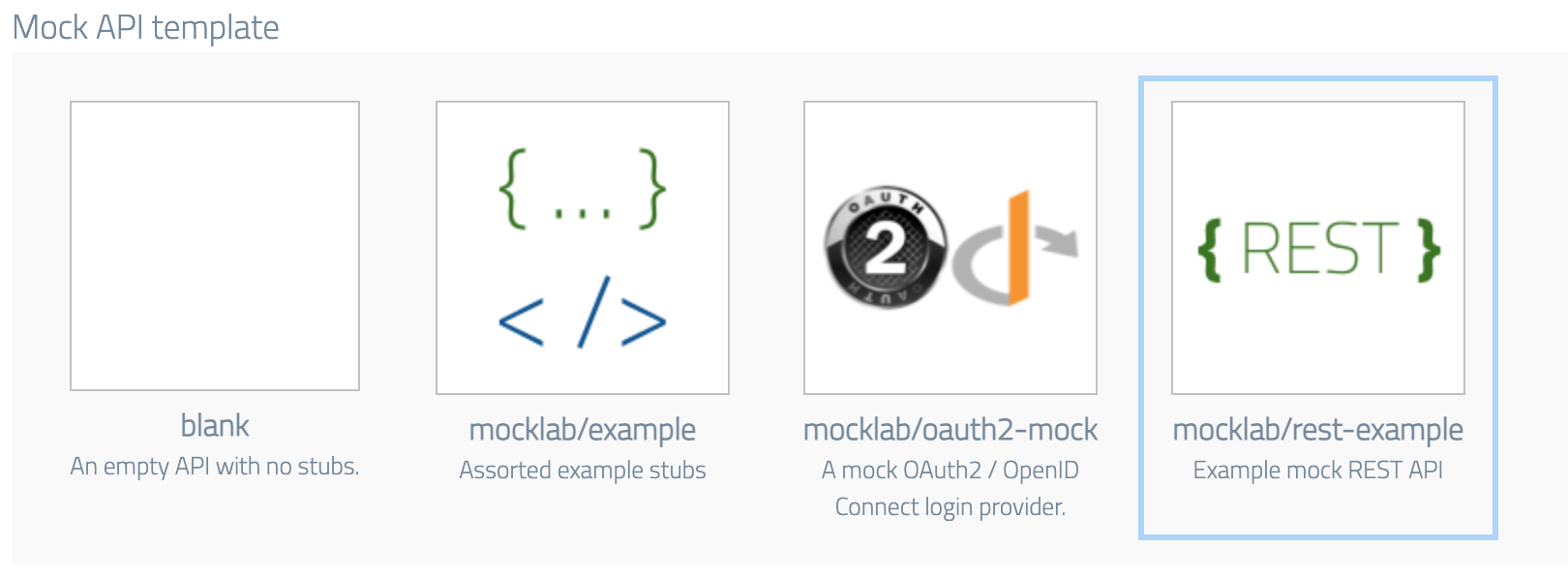
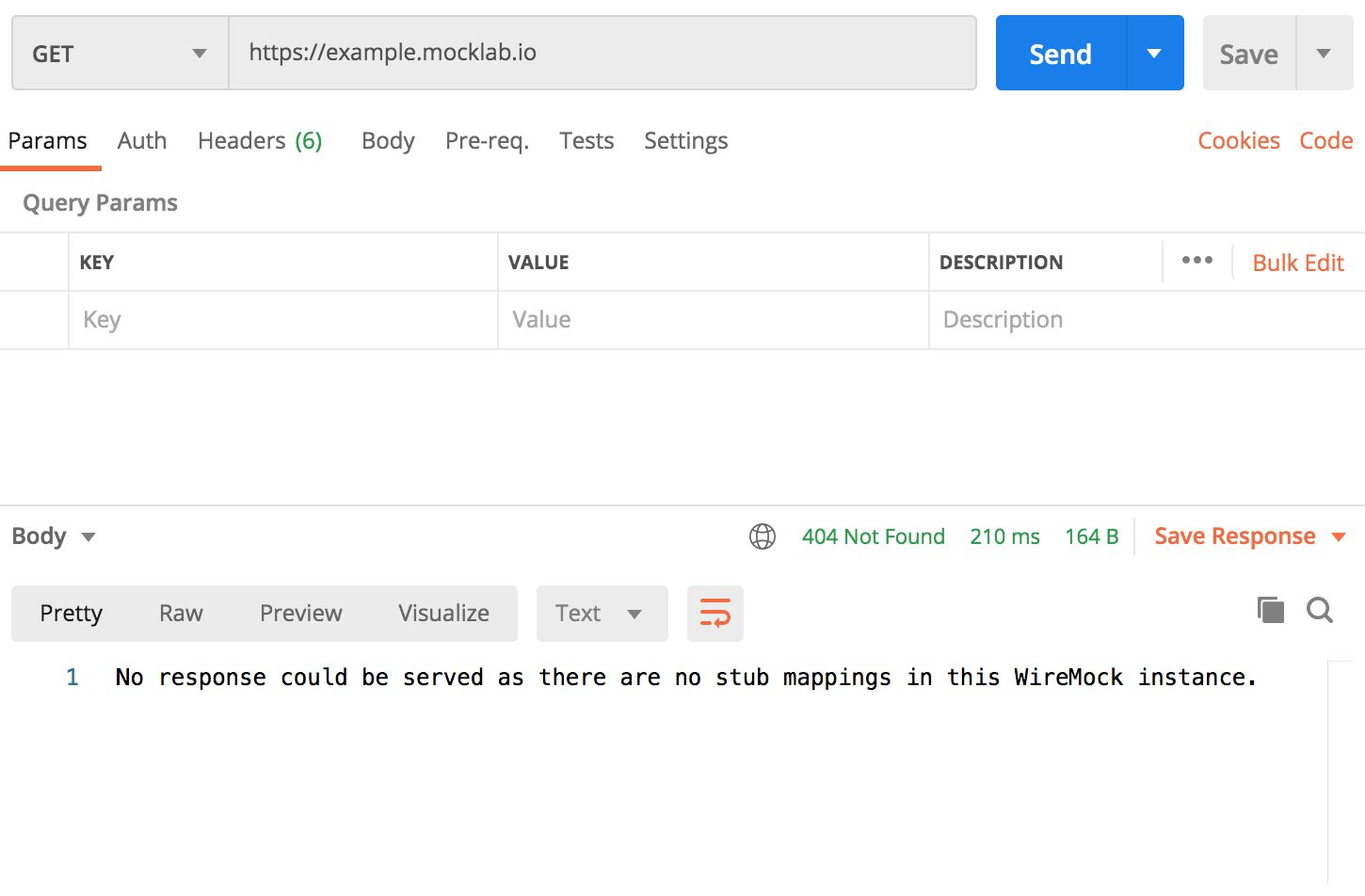
 You can check that your new API is live by copying the base URL by clicking the icon
to the right of the box and making a request from your HTTP client (e.g. Postman):
You can check that your new API is live by copying the base URL by clicking the icon
to the right of the box and making a request from your HTTP client (e.g. Postman):
 ## Basic contact list
A contact manager application is likely to have the ability to list all stored contacts.
Let's assume our imaginary API responds to `GET /v1/contacts` with JSON like:
```json theme={null}
{
"contacts": [
{
"id": "11111",
"firstName": "Tom",
"lastName": "Smith",
"email": "tom.smith@example.com",
"dateAdded": "2021-01-03",
"companyId": "123"
},
{
"id": "22222",
"firstName": "Suki",
"lastName": "Patel",
"email": "spatel@example.com",
"dateAdded": "2020-11-12",
"companyId": "123"
},
{
"id": "33333",
"firstName": "Lexine",
"lastName": "Barnfield",
"email": "barnfield8@example.com",
"dateAdded": "2021-01-03",
"companyId": "234"
}
]
}
```
We can simulate this by creating a basic stub, matched on a `GET` with the exact
URL path `/v1/contacts`. Go to the Stubs page under your new mock API and hit the
new stub button:
## Basic contact list
A contact manager application is likely to have the ability to list all stored contacts.
Let's assume our imaginary API responds to `GET /v1/contacts` with JSON like:
```json theme={null}
{
"contacts": [
{
"id": "11111",
"firstName": "Tom",
"lastName": "Smith",
"email": "tom.smith@example.com",
"dateAdded": "2021-01-03",
"companyId": "123"
},
{
"id": "22222",
"firstName": "Suki",
"lastName": "Patel",
"email": "spatel@example.com",
"dateAdded": "2020-11-12",
"companyId": "123"
},
{
"id": "33333",
"firstName": "Lexine",
"lastName": "Barnfield",
"email": "barnfield8@example.com",
"dateAdded": "2021-01-03",
"companyId": "234"
}
]
}
```
We can simulate this by creating a basic stub, matched on a `GET` with the exact
URL path `/v1/contacts`. Go to the Stubs page under your new mock API and hit the
new stub button:
 .
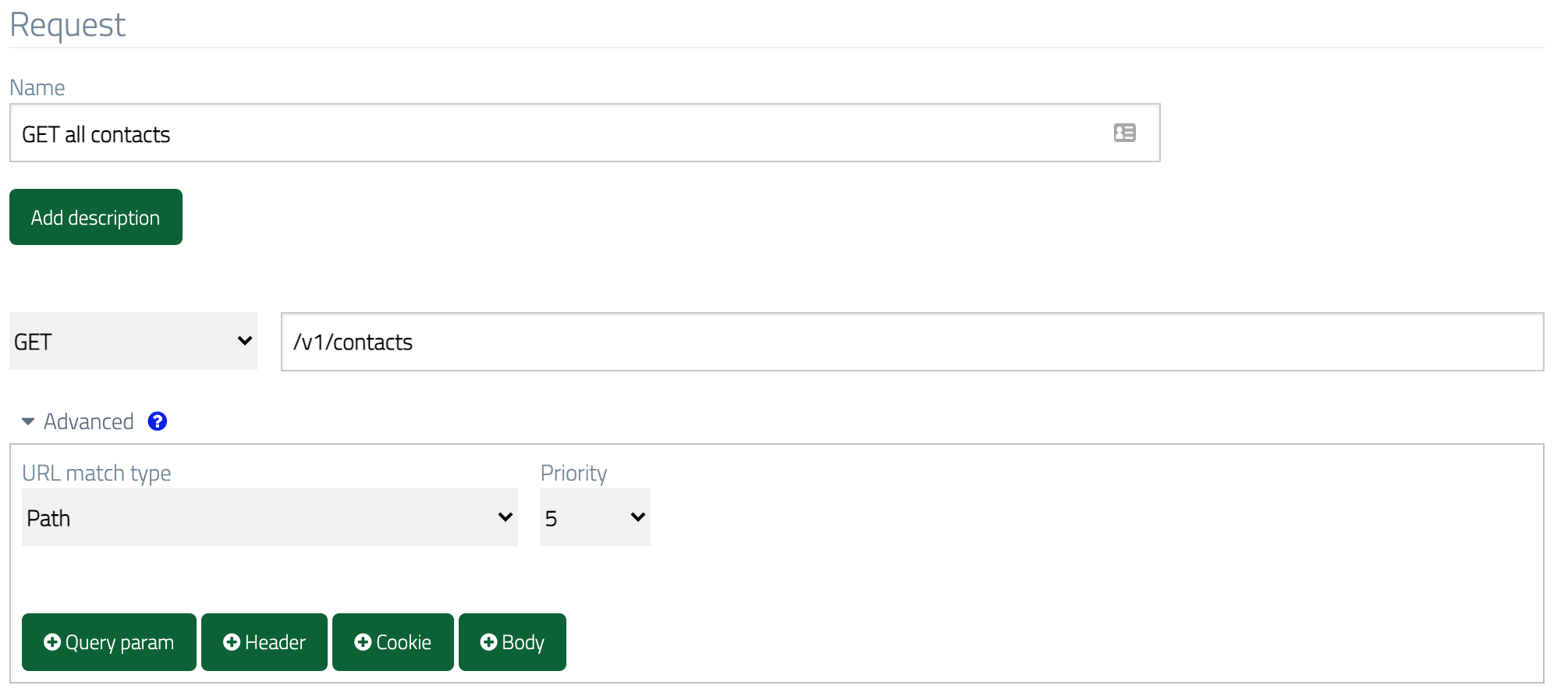
Then in the request section, set the method to `GET`, the URL to `/v1/contacts`
and the URL match type to `Path`:
.
Then in the request section, set the method to `GET`, the URL to `/v1/contacts`
and the URL match type to `Path`:
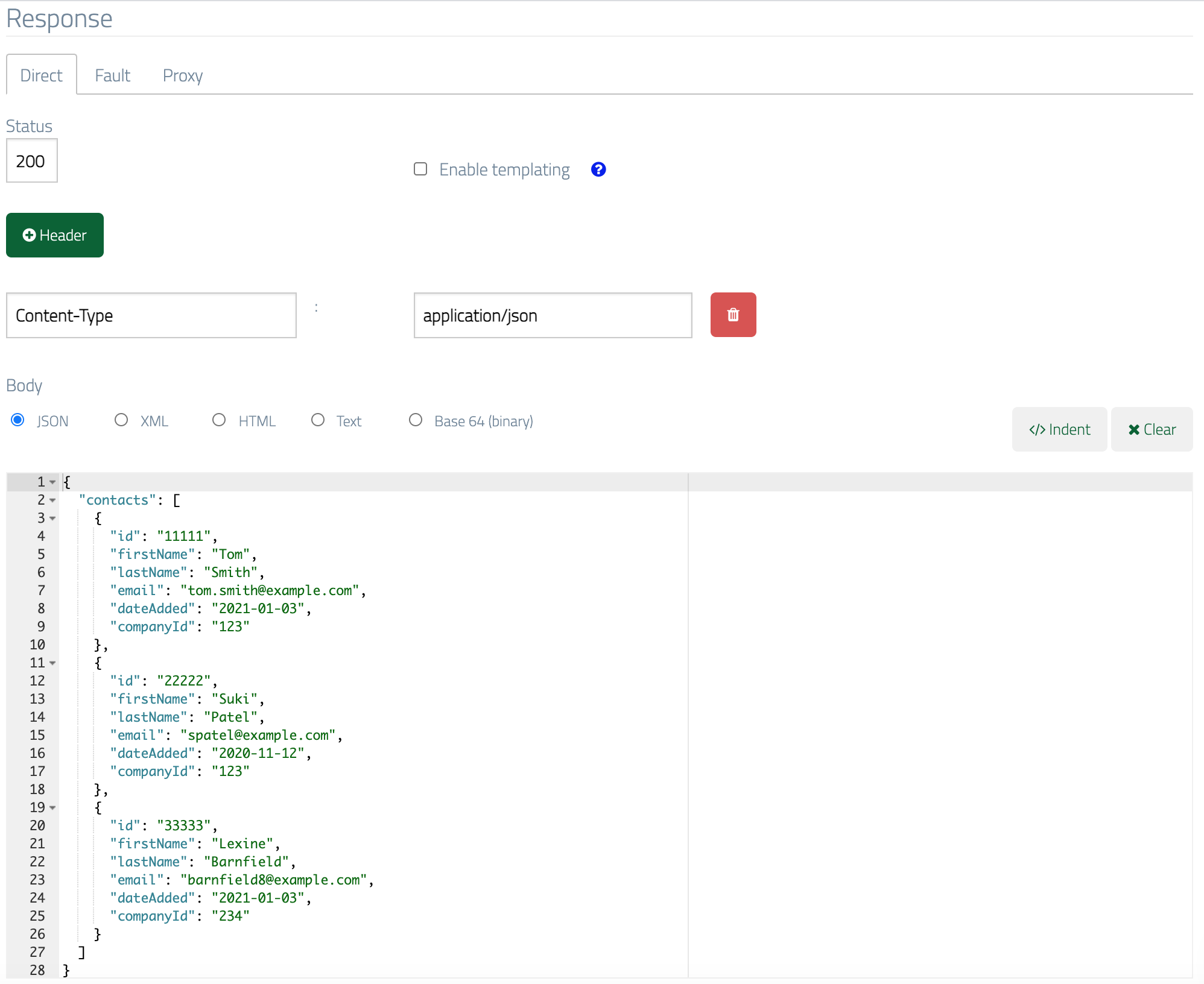
 In the response section put the JSON in the body field, and for good measure
we'll also send a `Content-Type: application/json` header:
In the response section put the JSON in the body field, and for good measure
we'll also send a `Content-Type: application/json` header:
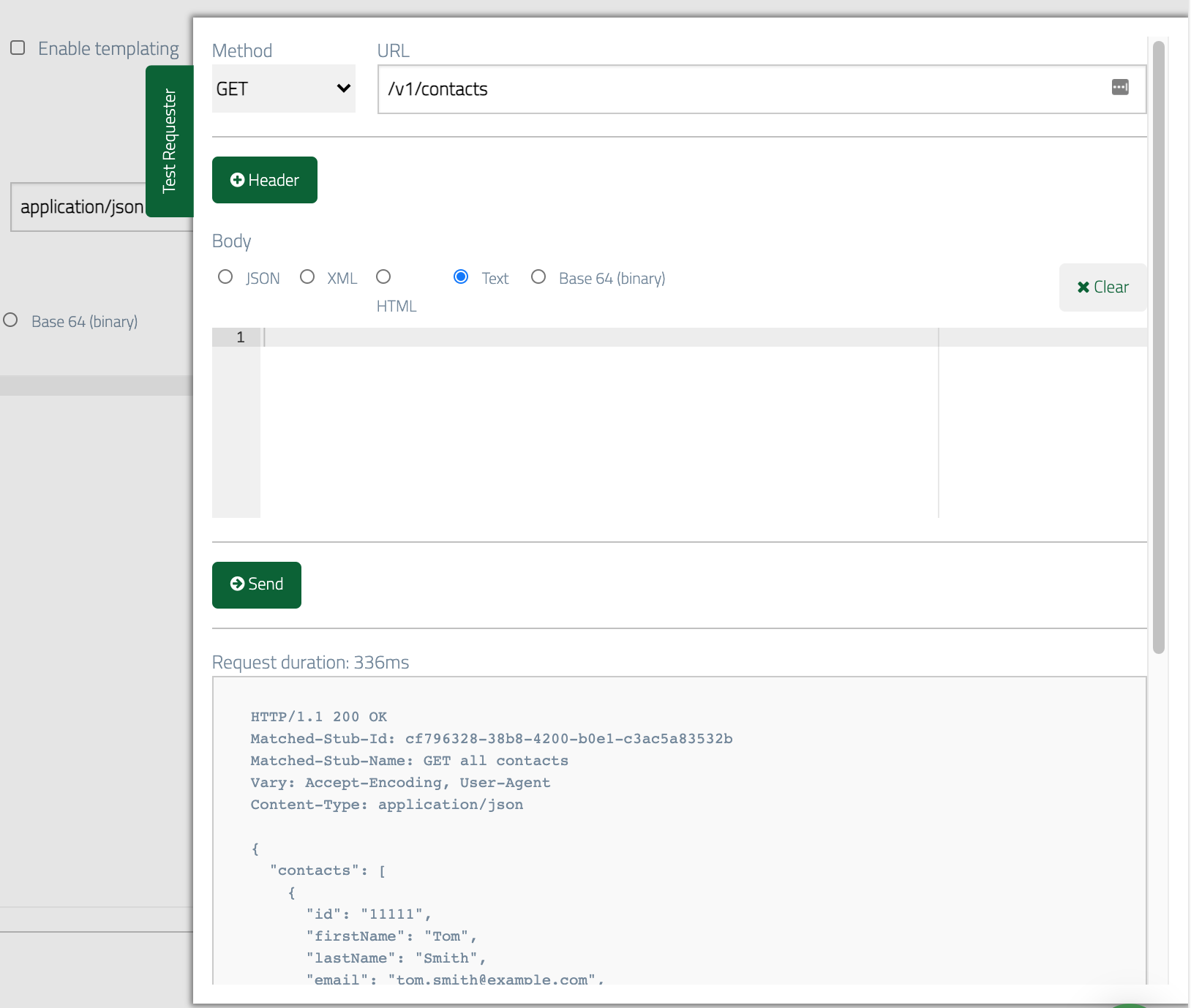
 After hitting Save, you can now test the stub using WireMock Cloud's Test Requester or
your preferred HTTP client:
After hitting Save, you can now test the stub using WireMock Cloud's Test Requester or
your preferred HTTP client:
 ## Filtering via query parameters
REST APIs often allow collection resources like the contact list to be filtered
using parameters in the request's query string.
For instance, so that we can find contacts for a specific company our contact
manager might support filtering by company ID. For instance `/v1/contacts?companyId=123`
would return:
```json theme={null}
{
"contacts": [
{
"id": "11111",
"firstName": "Tom",
"lastName": "Smith",
"email": "tom.smith@example.com",
"dateAdded": "2021-01-03",
"companyId": "123"
},
{
"id": "22222",
"firstName": "Suki",
"lastName": "Patel",
"email": "spatel@example.com",
"dateAdded": "2020-11-12",
"companyId": "123"
}
]
}
```
We'll simulate this by creating a similar stub to the first one, but with a
query parameter match and the filtered JSON document in the response body. To save some time we can
clone the first stub rather than starting from scratch, which can be done by
clicking Clone Stub at the bottom of the stub form.
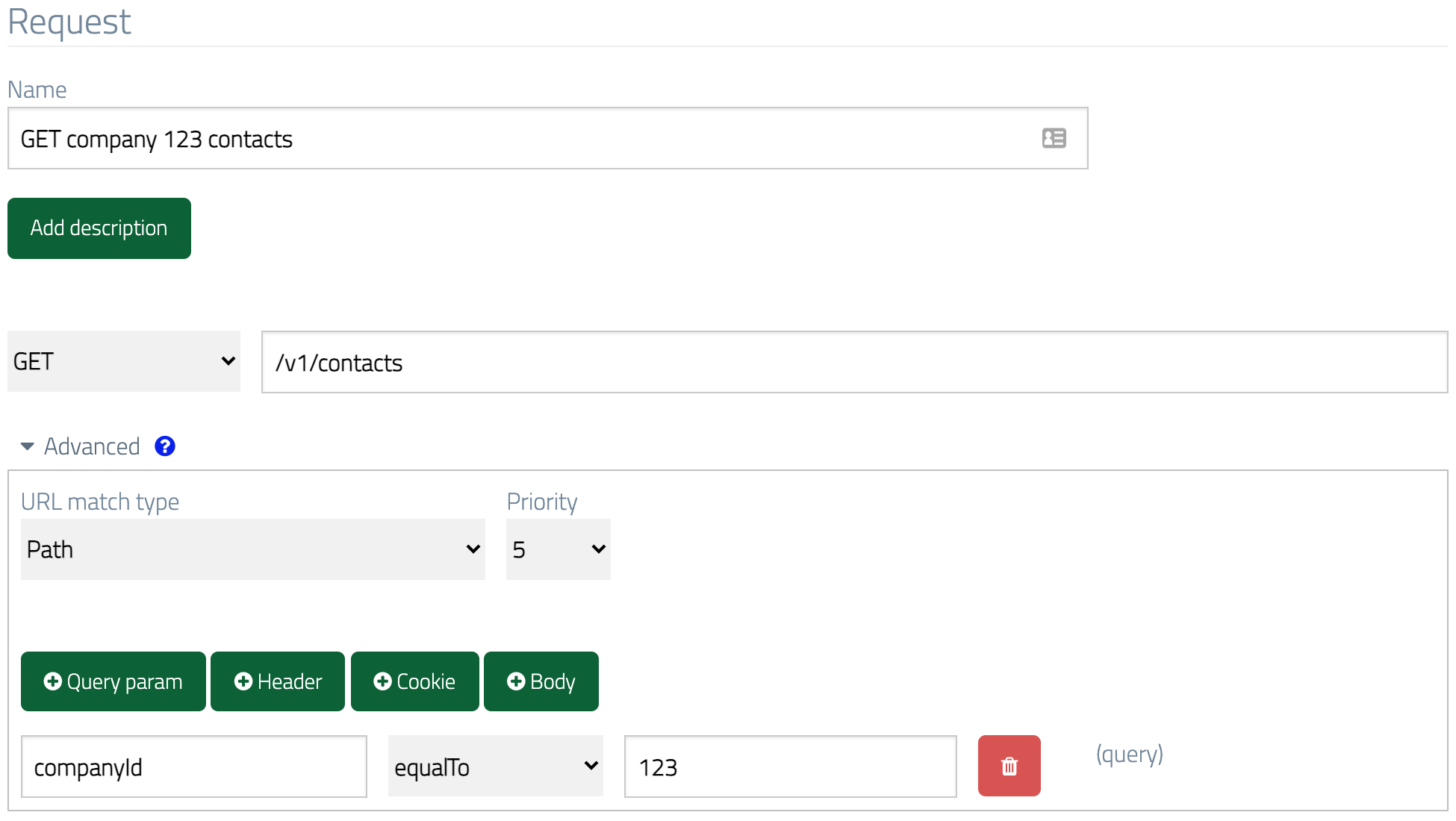
Then we add a query parameter match for `companyId` equalling `123`:
## Filtering via query parameters
REST APIs often allow collection resources like the contact list to be filtered
using parameters in the request's query string.
For instance, so that we can find contacts for a specific company our contact
manager might support filtering by company ID. For instance `/v1/contacts?companyId=123`
would return:
```json theme={null}
{
"contacts": [
{
"id": "11111",
"firstName": "Tom",
"lastName": "Smith",
"email": "tom.smith@example.com",
"dateAdded": "2021-01-03",
"companyId": "123"
},
{
"id": "22222",
"firstName": "Suki",
"lastName": "Patel",
"email": "spatel@example.com",
"dateAdded": "2020-11-12",
"companyId": "123"
}
]
}
```
We'll simulate this by creating a similar stub to the first one, but with a
query parameter match and the filtered JSON document in the response body. To save some time we can
clone the first stub rather than starting from scratch, which can be done by
clicking Clone Stub at the bottom of the stub form.
Then we add a query parameter match for `companyId` equalling `123`:
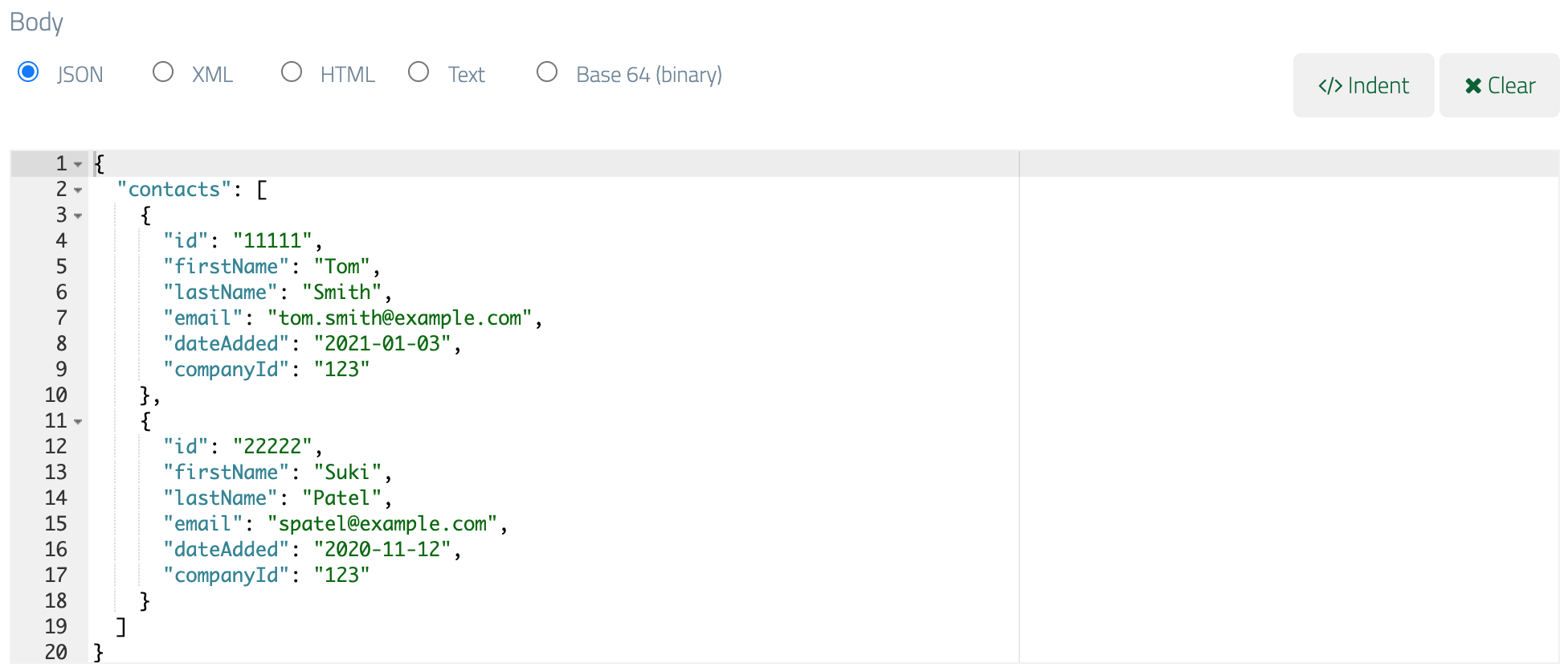
 And finally paste the filtered JSON in the body field:
 You can find more detail on [matching different parts of incoming requests here](/advanced-stubbing/#advanced-request-parameter-matching).
[See here for the full list of available request matchers](/request-matching/matcher-types/) (such as `equalTo` and `contains`).
## Getting an individual contact
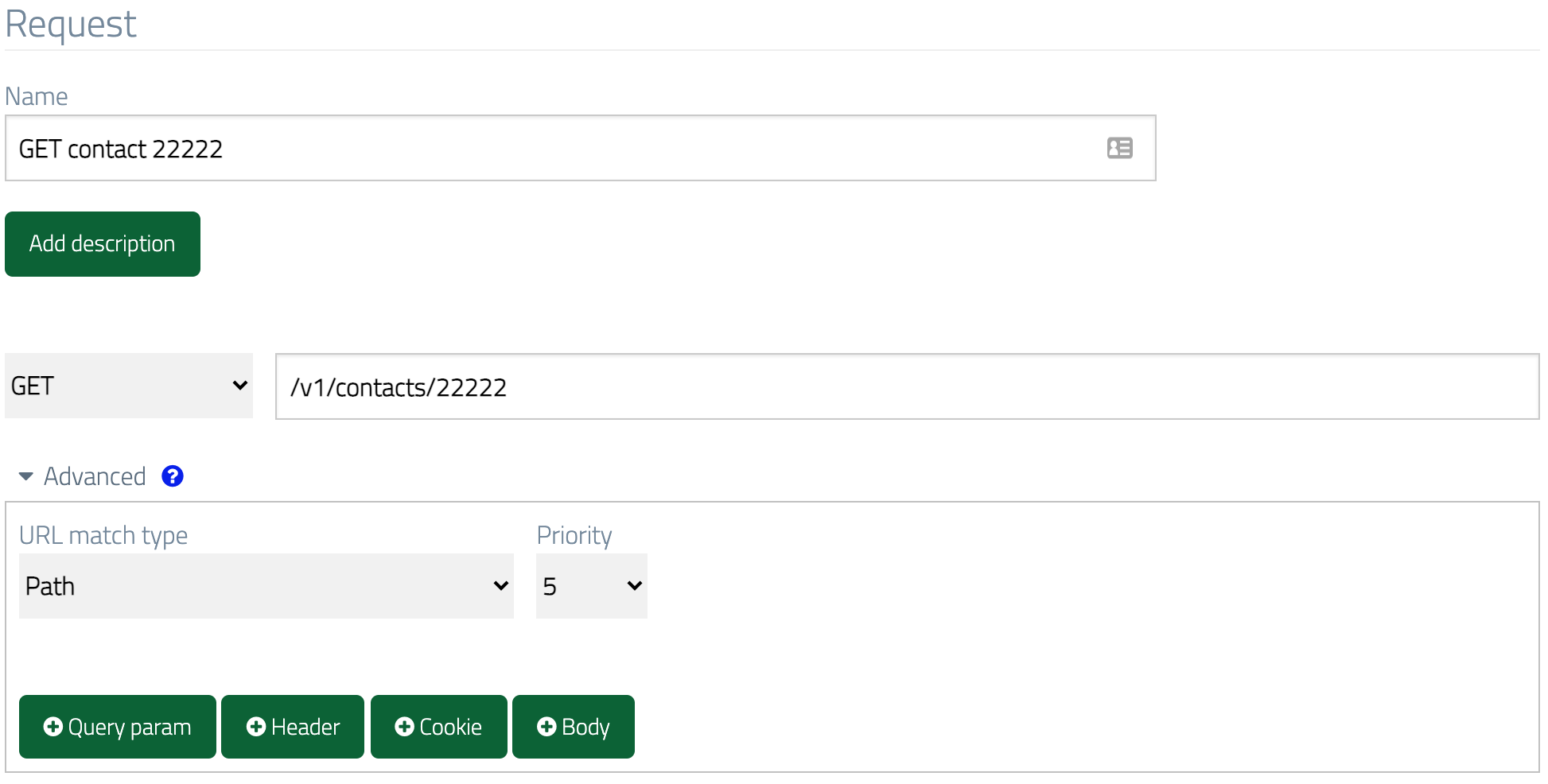
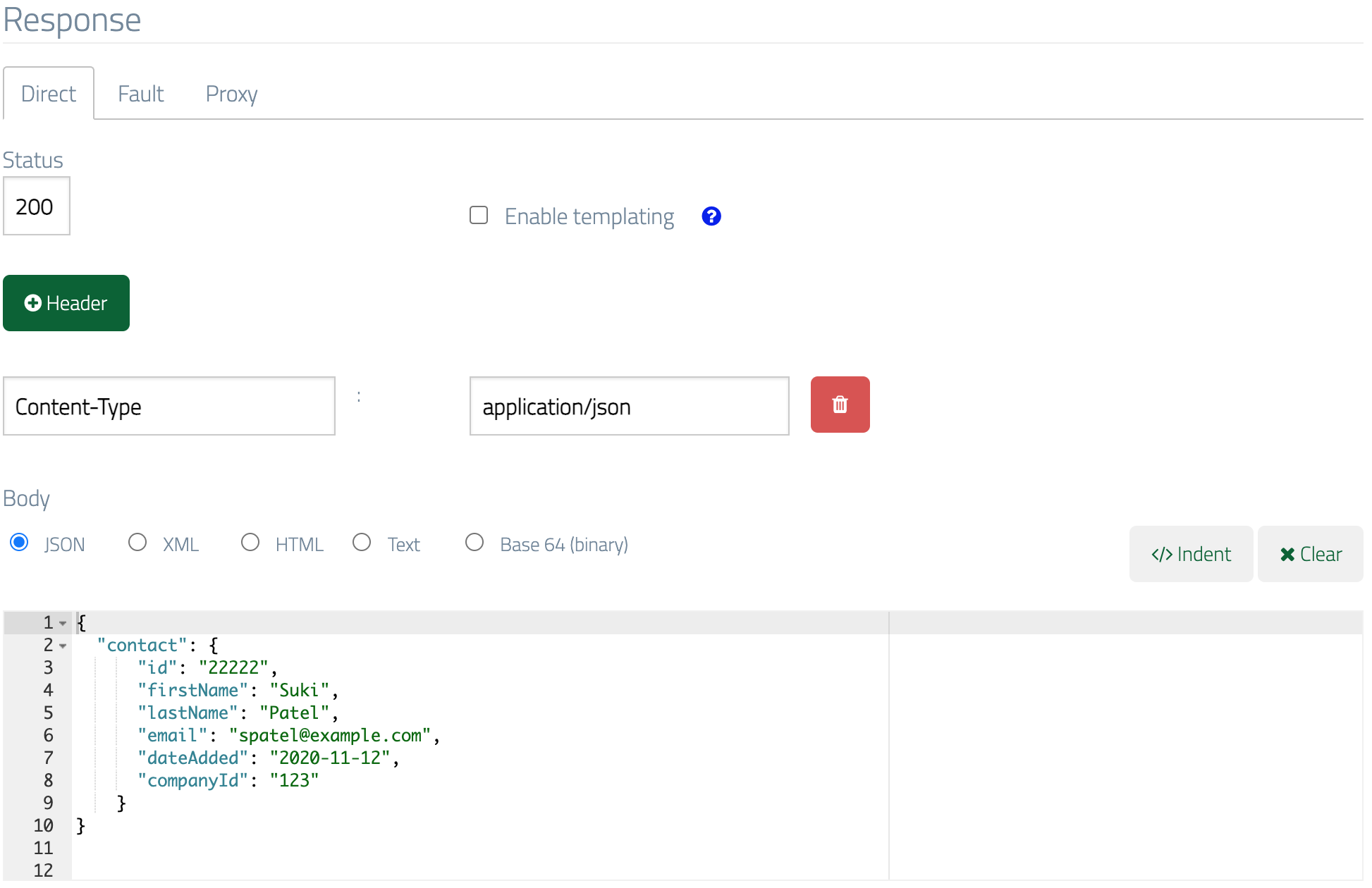
It's also very common for REST APIs to support retrieval of individual items of
data specified by an identifier in the URL path, so in our case we might fetch an
individual contact via a `GET` to `/v1/contacts/22222`.
We can stub a single data item in a very similar manner to the contact list we
created first, relying on exact URL path equality to match the request:
You can find more detail on [matching different parts of incoming requests here](/advanced-stubbing/#advanced-request-parameter-matching).
[See here for the full list of available request matchers](/request-matching/matcher-types/) (such as `equalTo` and `contains`).
## Getting an individual contact
It's also very common for REST APIs to support retrieval of individual items of
data specified by an identifier in the URL path, so in our case we might fetch an
individual contact via a `GET` to `/v1/contacts/22222`.
We can stub a single data item in a very similar manner to the contact list we
created first, relying on exact URL path equality to match the request:
 ## Using URL regex matching and response templating to simulate many data records
If you only need to be able to return a small number of individual contacts then the above
approach of creating a stub per contact will work OK.
However, you may need return many
unique contact records e.g. because you're performance testing and want to spread
the load across realistic data volumes. In this instance you can use URL regex
matching and response templating to simulate the presence of many data items.
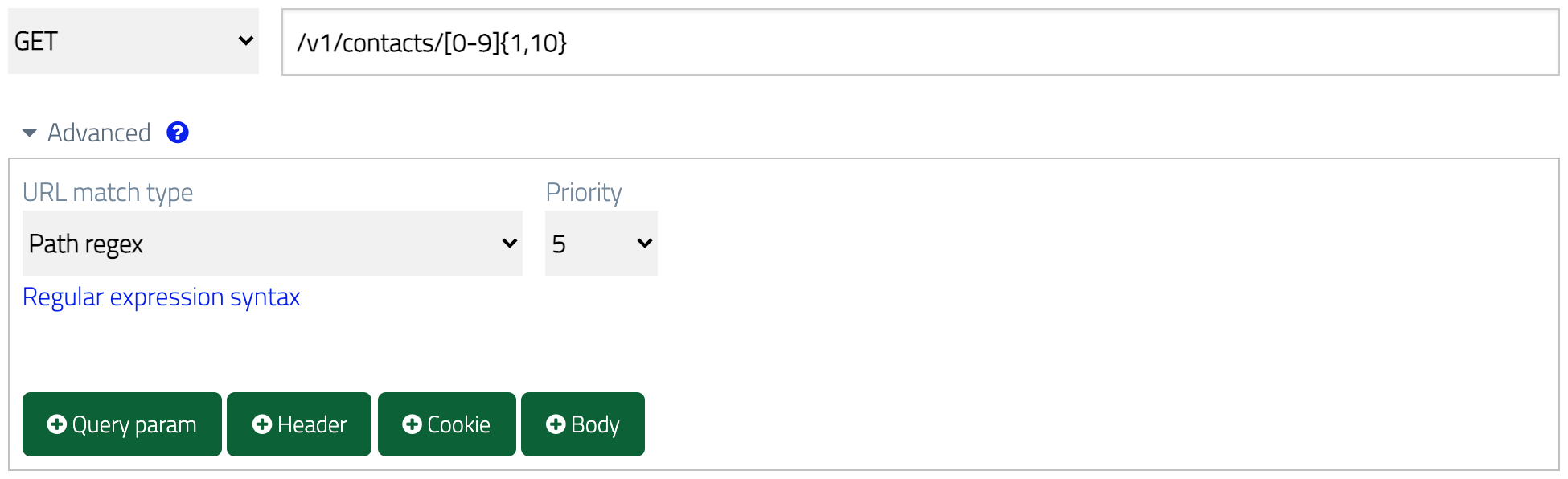
Let's modify the single contact stub we've already created. First we'll switch to
a looser URL match using the `Path regex` URL match type with the regular expression `/v1/contacts/[0-9]{1,10}` as the value.
This will match any URL path starting with `/v1/contacts` and ending with any
numeric ID between 1 and 10 characters long:
## Using URL regex matching and response templating to simulate many data records
If you only need to be able to return a small number of individual contacts then the above
approach of creating a stub per contact will work OK.
However, you may need return many
unique contact records e.g. because you're performance testing and want to spread
the load across realistic data volumes. In this instance you can use URL regex
matching and response templating to simulate the presence of many data items.
Let's modify the single contact stub we've already created. First we'll switch to
a looser URL match using the `Path regex` URL match type with the regular expression `/v1/contacts/[0-9]{1,10}` as the value.
This will match any URL path starting with `/v1/contacts` and ending with any
numeric ID between 1 and 10 characters long:
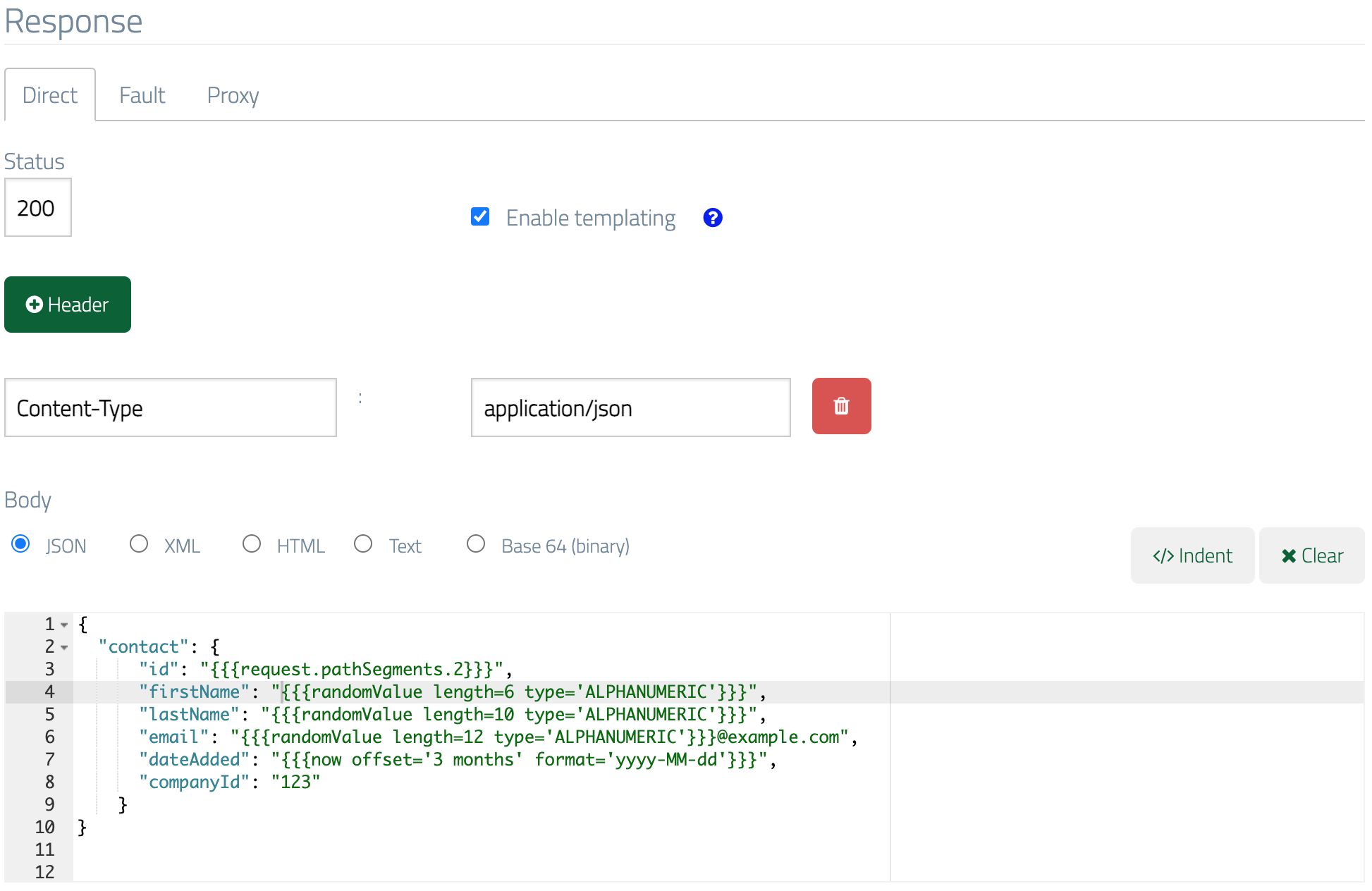
 Then we'll enable templating in the response by ticking "Enable templating" and
make the response body more dynamic by replacing some elements with template helpers, giving us:
```json theme={null}
{
"contact": {
"id": "{{{request.pathSegments.2}}}",
"firstName": "{{{randomValue length=6 type='ALPHANUMERIC'}}}",
"lastName": "{{{randomValue length=10 type='ALPHANUMERIC'}}}",
"email": "{{{randomValue length=12 type='ALPHANUMERIC'}}}@example.com",
"dateAdded": "{{{now offset='-3 months' format='yyyy-MM-dd'}}}",
"companyId": "123"
}
}
```
Then we'll enable templating in the response by ticking "Enable templating" and
make the response body more dynamic by replacing some elements with template helpers, giving us:
```json theme={null}
{
"contact": {
"id": "{{{request.pathSegments.2}}}",
"firstName": "{{{randomValue length=6 type='ALPHANUMERIC'}}}",
"lastName": "{{{randomValue length=10 type='ALPHANUMERIC'}}}",
"email": "{{{randomValue length=12 type='ALPHANUMERIC'}}}@example.com",
"dateAdded": "{{{now offset='-3 months' format='yyyy-MM-dd'}}}",
"companyId": "123"
}
}
```
 Now we can make a test request with any valid ID value (numeric, 1-10 characters)
and will receive a response with the ID field matching the value in the request URL
and some of the data randomised:
Now we can make a test request with any valid ID value (numeric, 1-10 characters)
and will receive a response with the ID field matching the value in the request URL
and some of the data randomised:
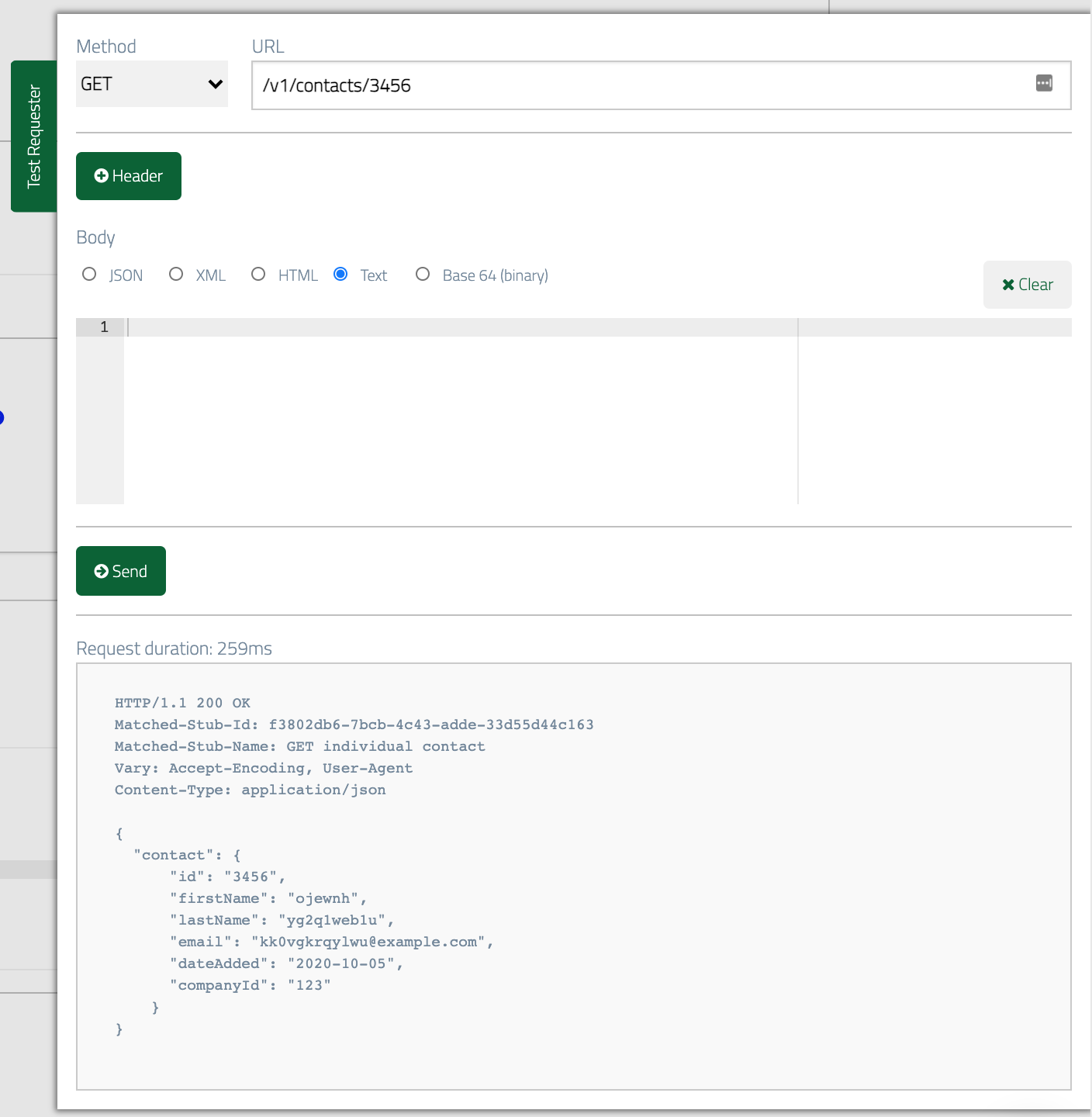 Unpacking what we've done here:
* `id` is now set from the 3rd segment of the incoming request URL's path, so it will always be the same as the requested contact ID.
* `firstName`, `lastName` and `email` are now random alphanumeric text (with a fixed domain name in the case of `email`).
* `dateAdded` is set to 3 months before today's date.
You can [learn more about response templating here](../response-templating/basics/) and [more about URL matching here](../request-matching/url/).
## Creating a new contact
At some point our contact manager API will need to be able to accept new contacts
in addition to just returning them. Commonly, REST APIs support sending a `POST`
request to the URL for a collection resource as a means to add new data items.
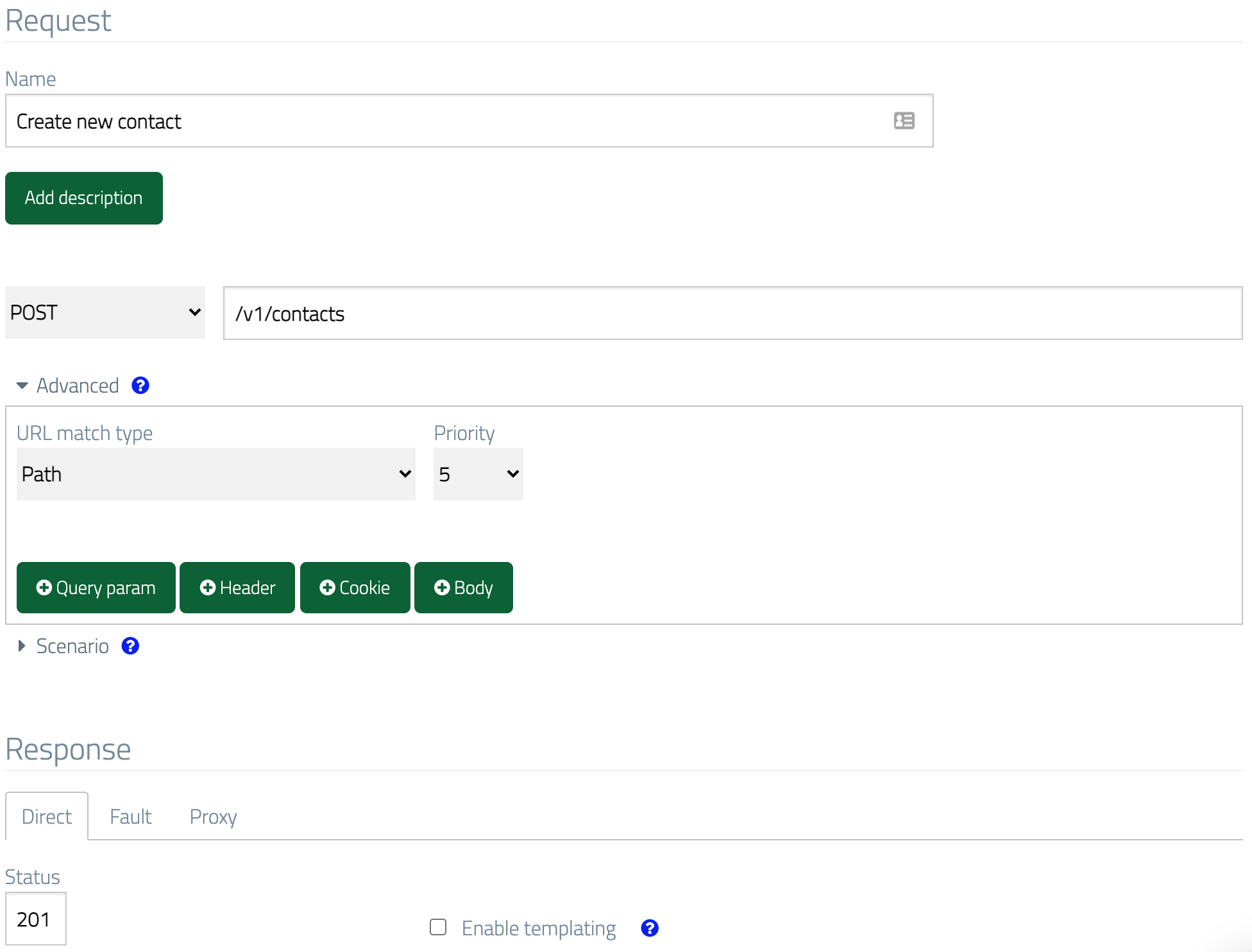
So our contact manager might accept `POST /v1/contacts`, returning a
response with status code `201 Created` and an empty body:
Unpacking what we've done here:
* `id` is now set from the 3rd segment of the incoming request URL's path, so it will always be the same as the requested contact ID.
* `firstName`, `lastName` and `email` are now random alphanumeric text (with a fixed domain name in the case of `email`).
* `dateAdded` is set to 3 months before today's date.
You can [learn more about response templating here](../response-templating/basics/) and [more about URL matching here](../request-matching/url/).
## Creating a new contact
At some point our contact manager API will need to be able to accept new contacts
in addition to just returning them. Commonly, REST APIs support sending a `POST`
request to the URL for a collection resource as a means to add new data items.
So our contact manager might accept `POST /v1/contacts`, returning a
response with status code `201 Created` and an empty body:
 ### More specific matching
In its current state, this stub will be matched regardless of the contents
of the request body, so a body with incorrectly structured JSON, XML or even no body
at all will still yield the `201` response.
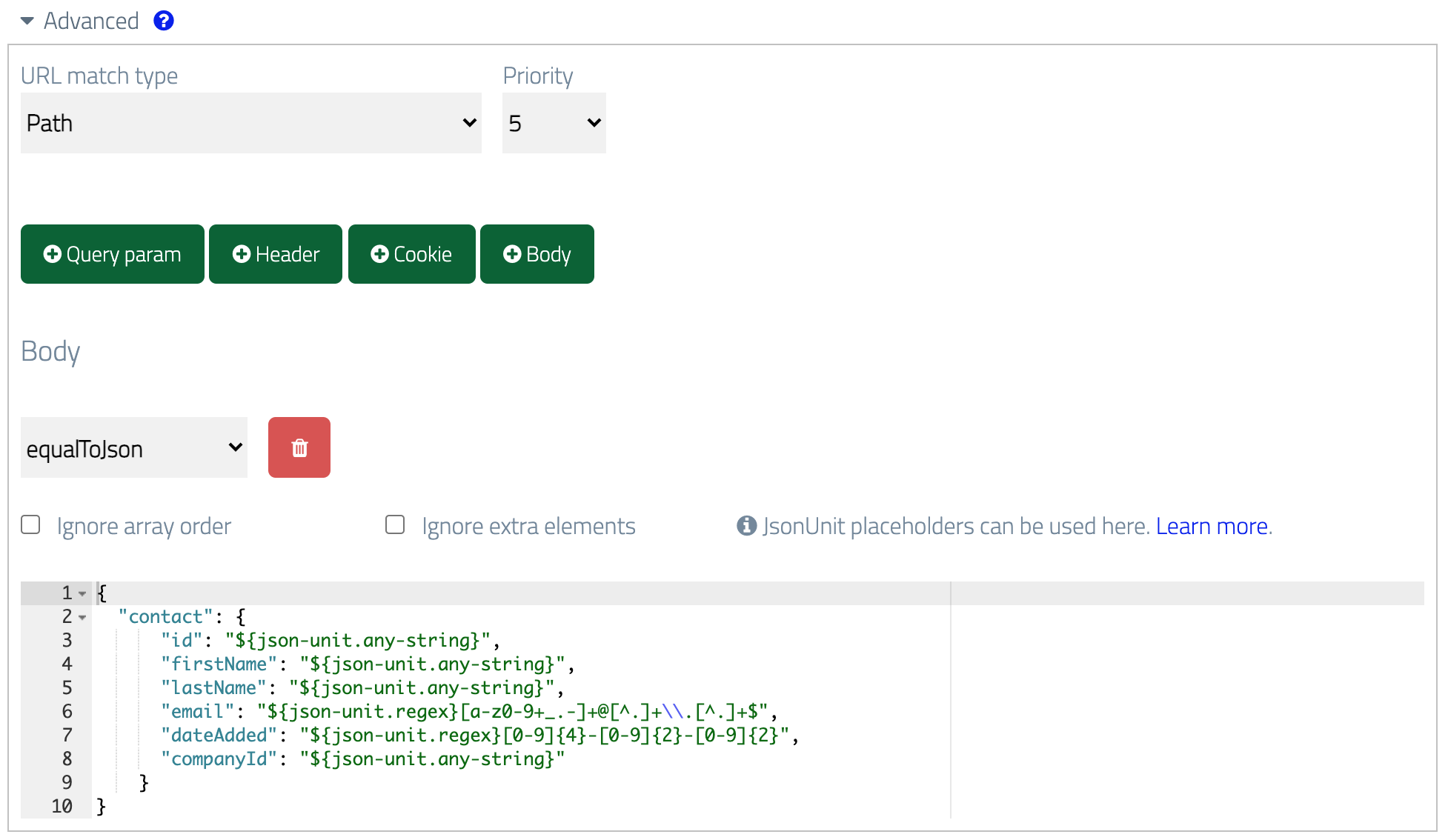
If we want to ensure the stub is only matched when correctly structured JSON is
sent in the request but without requiring a set of exact values, we can add a body
matcher by clicking New body matcher and using JSONUnit as wildcards:
```json theme={null}
{
"contact": {
"id": "${json-unit.any-string}",
"firstName": "${json-unit.any-string}",
"lastName": "${json-unit.any-string}",
"email": "${json-unit.regex}[a-z0-9+_.-]+@[^.]+\\.[^.]+$",
"dateAdded": "${json-unit.regex}[0-9]{4}-[0-9]{2}-[0-9]{2}",
"companyId": "${json-unit.any-string}"
}
}
```
### More specific matching
In its current state, this stub will be matched regardless of the contents
of the request body, so a body with incorrectly structured JSON, XML or even no body
at all will still yield the `201` response.
If we want to ensure the stub is only matched when correctly structured JSON is
sent in the request but without requiring a set of exact values, we can add a body
matcher by clicking New body matcher and using JSONUnit as wildcards:
```json theme={null}
{
"contact": {
"id": "${json-unit.any-string}",
"firstName": "${json-unit.any-string}",
"lastName": "${json-unit.any-string}",
"email": "${json-unit.regex}[a-z0-9+_.-]+@[^.]+\\.[^.]+$",
"dateAdded": "${json-unit.regex}[0-9]{4}-[0-9]{2}-[0-9]{2}",
"companyId": "${json-unit.any-string}"
}
}
```
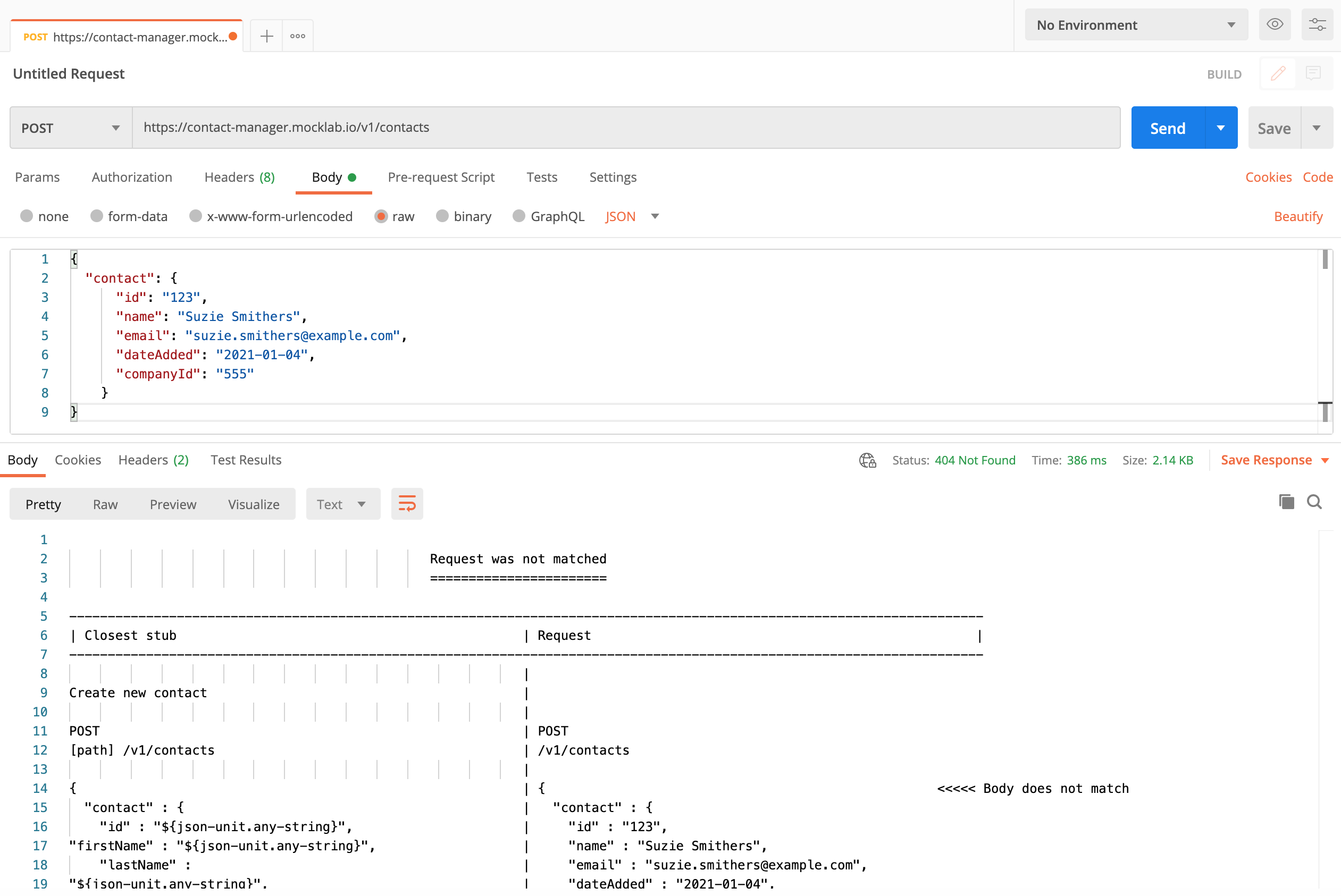
 Now if we make a request containing an incorrect JSON field (`name` instead of
`firstName` and `lastName`), we'll get a `404 Not Found` response
containing a diff report showing which part of the request didn't match:
Now if we make a request containing an incorrect JSON field (`name` instead of
`firstName` and `lastName`), we'll get a `404 Not Found` response
containing a diff report showing which part of the request didn't match:
 ## Simulating state changes
When posting a new item of data to a real API we'd expect it to be
stored and therefore returned on a subsequent `GET` request for
the collection or the individual resource. However, mock APIs by default don't
store any state, so making a request to add a new contact will have no effect on
the data returned later.
For most testing scenarios this isn't an issue, but in cases where more realistic
behaviour is required WireMock Cloud supports the concept of "stateful scenarios" whereby
the state of a scenario can be used to determine which stub to match.
If we wanted to, for instance, create a test case in which posting a new company
results in it appearing in the companies collection we can achieve this by creating three
stubs, all associated with the same scenario.
Firstly, we'd stub the initial response for `GET /v1/companies` (in much the same manner as we did
for contacts), returning a single company in the collection:
```json theme={null}
{
"companies": [
{
"id": 123,
"name": "Boring Corp"
}
]
}
```
This time we'd put the stub in a scenario called "Companies" (the name is not important)
and require that the scenario be in the "Started" state in order for the stub to match:
## Simulating state changes
When posting a new item of data to a real API we'd expect it to be
stored and therefore returned on a subsequent `GET` request for
the collection or the individual resource. However, mock APIs by default don't
store any state, so making a request to add a new contact will have no effect on
the data returned later.
For most testing scenarios this isn't an issue, but in cases where more realistic
behaviour is required WireMock Cloud supports the concept of "stateful scenarios" whereby
the state of a scenario can be used to determine which stub to match.
If we wanted to, for instance, create a test case in which posting a new company
results in it appearing in the companies collection we can achieve this by creating three
stubs, all associated with the same scenario.
Firstly, we'd stub the initial response for `GET /v1/companies` (in much the same manner as we did
for contacts), returning a single company in the collection:
```json theme={null}
{
"companies": [
{
"id": 123,
"name": "Boring Corp"
}
]
}
```
This time we'd put the stub in a scenario called "Companies" (the name is not important)
and require that the scenario be in the "Started" state in order for the stub to match:
 Next, we'd create a second `GET` stub cloned from the first but with a second
company added to the collection:
```json theme={null}
{
"companies": [
{
"id": 123,
"name": "Boring Corp"
},
{
"id": 234,
"name": "Az Tech"
}
]
}
```
This stub would also be in the "Companies" scenario but this time with a different
required state:
Next, we'd create a second `GET` stub cloned from the first but with a second
company added to the collection:
```json theme={null}
{
"companies": [
{
"id": 123,
"name": "Boring Corp"
},
{
"id": 234,
"name": "Az Tech"
}
]
}
```
This stub would also be in the "Companies" scenario but this time with a different
required state:
 Finally, we'd configure the stub that handles the `POST` to advance the state of the scenario
so that it appears to have the effect of storing the new company:
Finally, we'd configure the stub that handles the `POST` to advance the state of the scenario
so that it appears to have the effect of storing the new company:
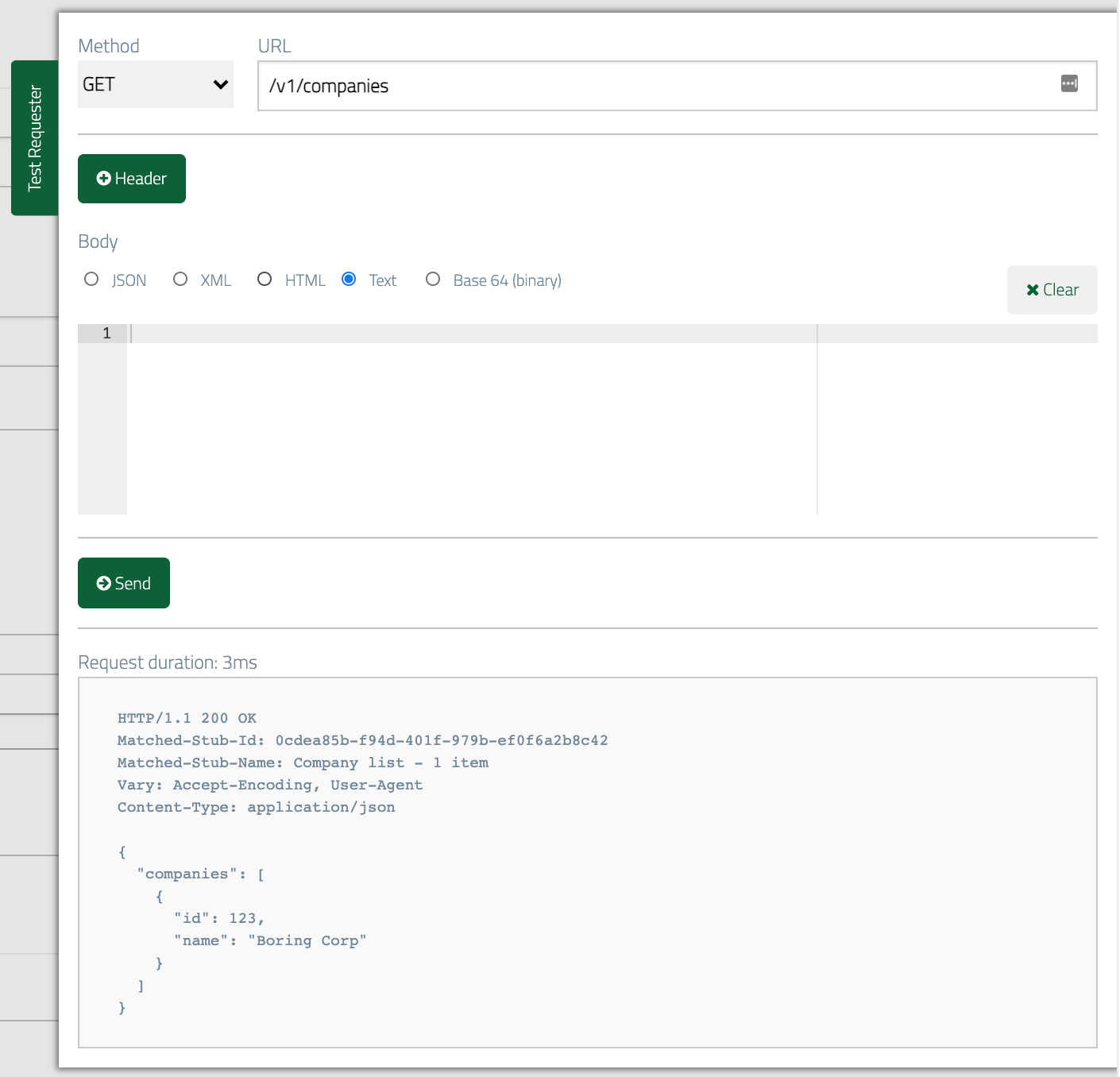
 ### Testing the scenario
The first time we make a request to `GET` our companies we should see a single item in the collection:
### Testing the scenario
The first time we make a request to `GET` our companies we should see a single item in the collection:
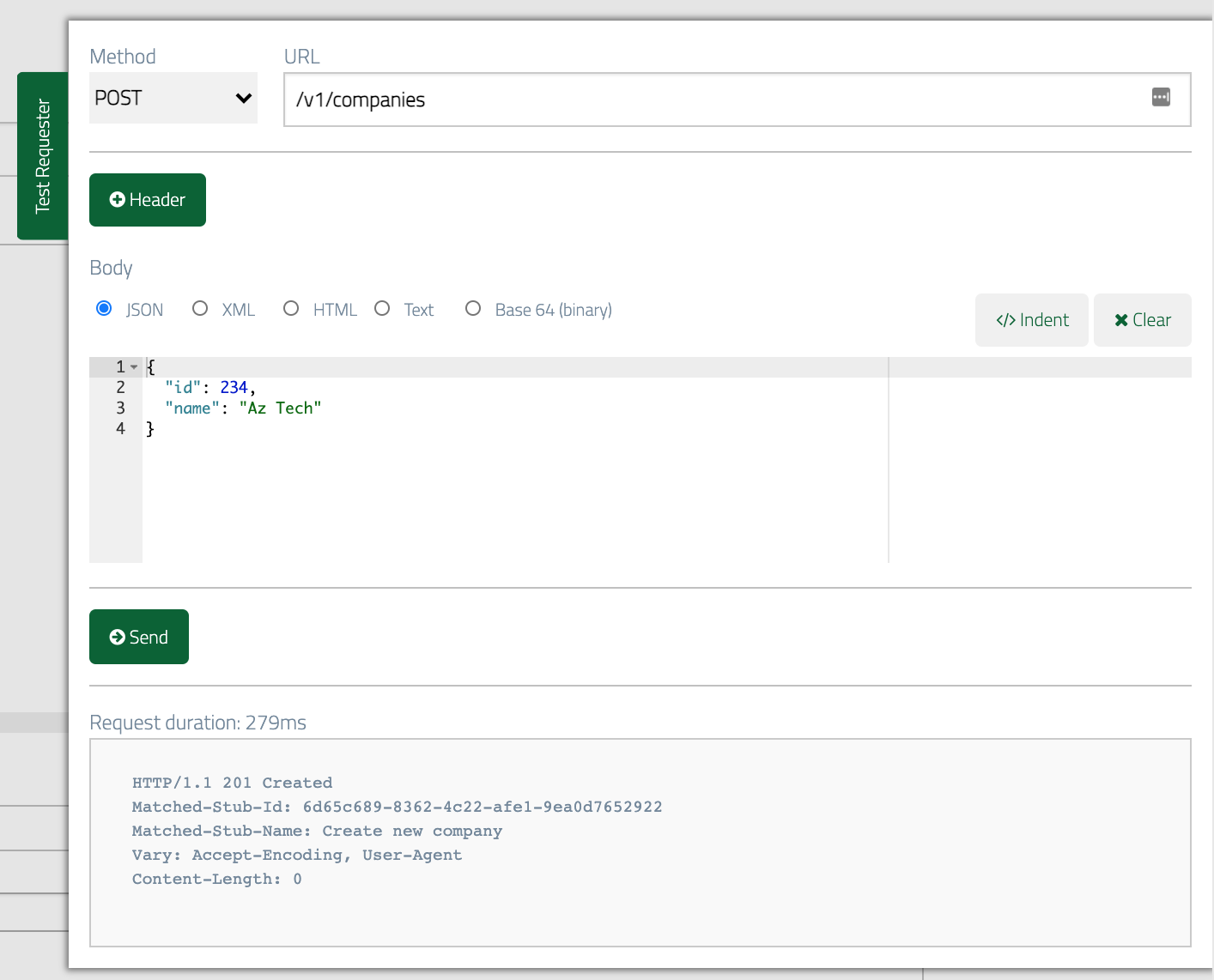
 Then we `POST` a new company:
 Then when we fetch the companies list a second time we should see two companies
returned:
Then when we fetch the companies list a second time we should see two companies
returned:
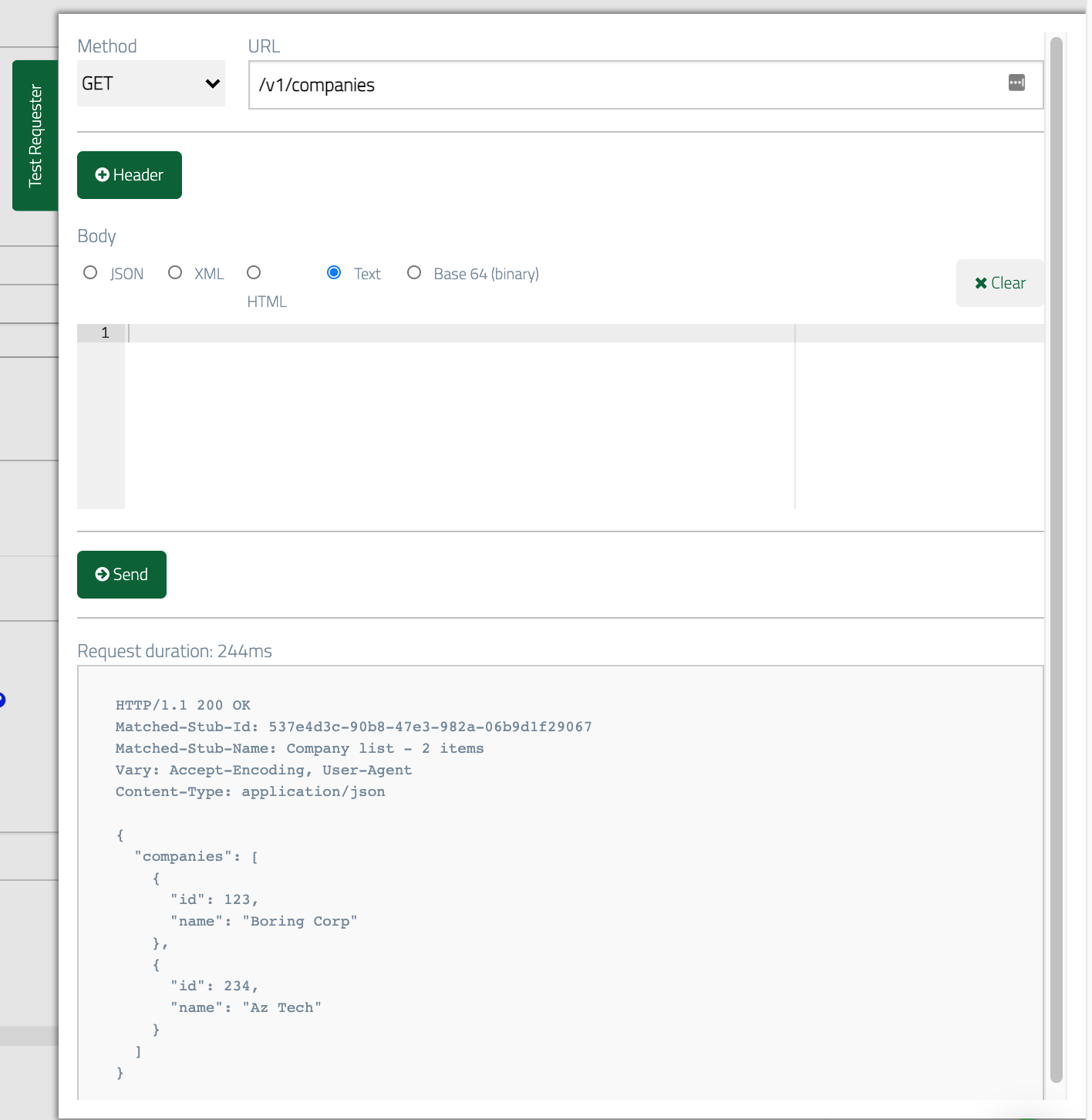 The scenario will now remain in state "2 companies" until it is manually reset,
which you can do by clicking Reset All Scenarios, which resets all scenarios to "Started".
You can [find out more about Scenarios here](../dynamic-state/stateful-scenarios/).
## Returning errors for specific requests
Sometimes we want to be able to support negative tests, for instance when the
API we're calling returns an error rather than the expected response. We can configure our mock API to return errors in response to specific requests
with the help of the priority stub parameter.
Let's suppose we want to test the case where our app tries to post a new contact
but the API returns a `503 Service Unavailable` response instead of the expected `201`.
If we configure a stub that expects specific data in the request body and give it
a higher priority than the existing `POST` stub that returns `201` then we can
send a request with appropriate data and see the error returned.
Start by cloning the existing `POST` stub for new contacts. Change the Priority value to a number
lower than `5` (`1` is highest).
The scenario will now remain in state "2 companies" until it is manually reset,
which you can do by clicking Reset All Scenarios, which resets all scenarios to "Started".
You can [find out more about Scenarios here](../dynamic-state/stateful-scenarios/).
## Returning errors for specific requests
Sometimes we want to be able to support negative tests, for instance when the
API we're calling returns an error rather than the expected response. We can configure our mock API to return errors in response to specific requests
with the help of the priority stub parameter.
Let's suppose we want to test the case where our app tries to post a new contact
but the API returns a `503 Service Unavailable` response instead of the expected `201`.
If we configure a stub that expects specific data in the request body and give it
a higher priority than the existing `POST` stub that returns `201` then we can
send a request with appropriate data and see the error returned.
Start by cloning the existing `POST` stub for new contacts. Change the Priority value to a number
lower than `5` (`1` is highest).
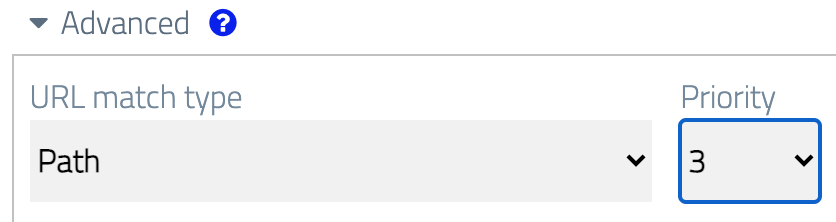 Then we'll modify the body matcher so that it'll only
match when a specific piece of data is sent. One option here would be to substitute
the placeholders in the `equalToJson` body match we already have and this would
work fine if we were confident our test could produce exactly the same values each time.
However, we can give ourselves a bit more flexibility by choosing one specific bit of
data and matching it using `matchesJsonPath`.
Let's say that if we receive a specific contact ID then we'll trigger the error.
To do this, change the body match type to `matchesJsonPath` and the expression to
`$.contact.id` `equalTo` `666`:
Then we'll modify the body matcher so that it'll only
match when a specific piece of data is sent. One option here would be to substitute
the placeholders in the `equalToJson` body match we already have and this would
work fine if we were confident our test could produce exactly the same values each time.
However, we can give ourselves a bit more flexibility by choosing one specific bit of
data and matching it using `matchesJsonPath`.
Let's say that if we receive a specific contact ID then we'll trigger the error.
To do this, change the body match type to `matchesJsonPath` and the expression to
`$.contact.id` `equalTo` `666`:
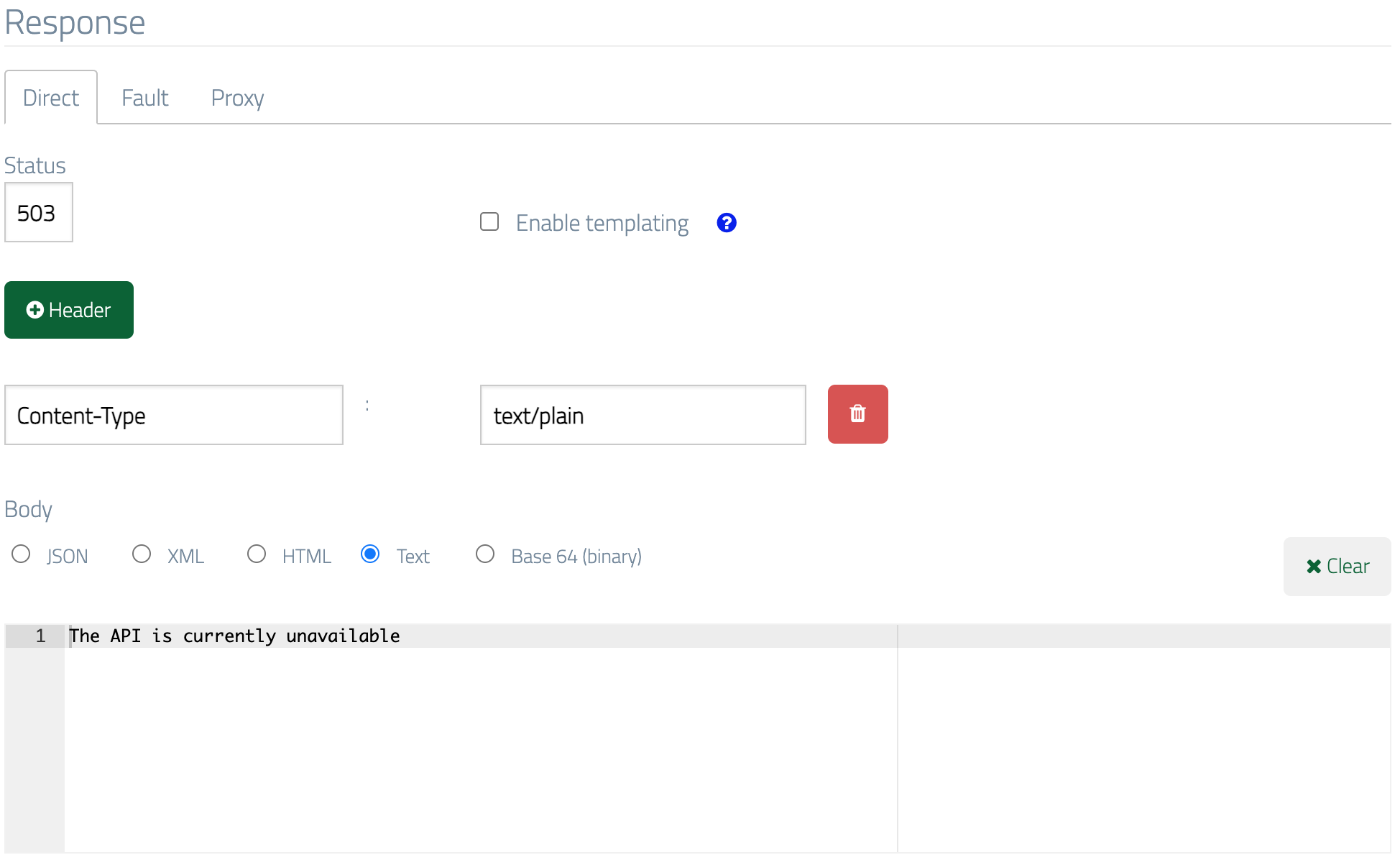
 Finally, change the response status code to `503`, and let's also add a plain text
error message supported by a `Content-Type: text/plain` header:
Finally, change the response status code to `503`, and let's also add a plain text
error message supported by a `Content-Type: text/plain` header:
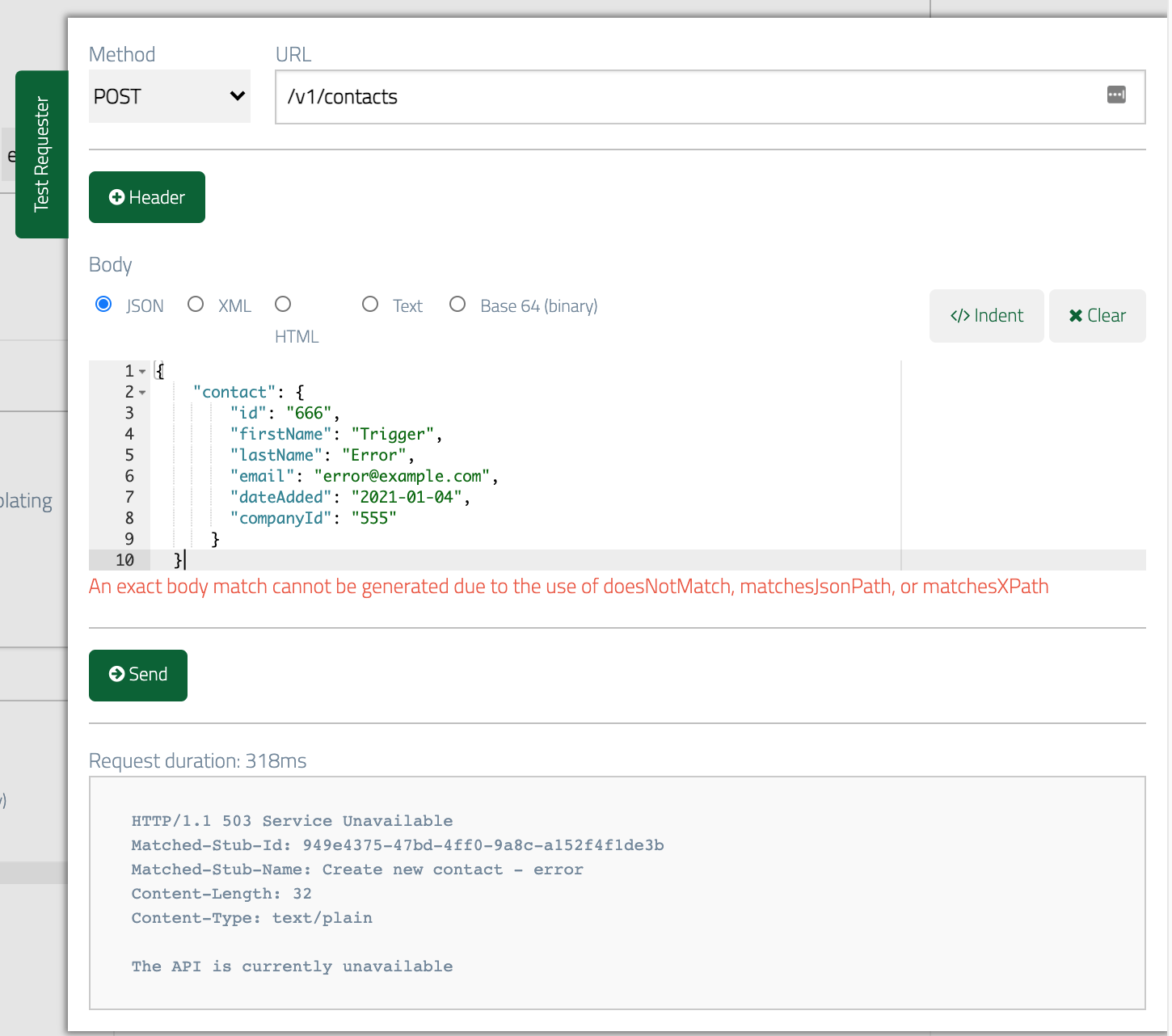
 ### Testing the error response
Now we can send a test request and see the error response returned:
### Testing the error response
Now we can send a test request and see the error response returned: