> ## Documentation Index
> Fetch the complete documentation index at: https://docs.wiremock.io/llms.txt
> Use this file to discover all available pages before exploring further.
# Request Matching - Matching XML bodies
> Matching XML
When stubbing API functions that accept XML request bodies we may want to
return different responses based on the XML sent. WireMock Cloud provides two match types
to supports this case - `equalToXml` and `matchesXPath`, which are described
in detail in this article.
## Matching via XML equality - `equalToXml`
The `equalToXml` match operator performs a semantic comparison of the input XML
against the expected XML. This has a number of advantages over a straight string
comparison:
* Ignores differences in whitespace
* Ignores element and attribute order
* Supports placeholders so that specific elements or attributes can be excluded from the comparison
By default `equalToXml` will match the input to the expected XML if all elements
and attributes are present, have the same value and there are no additional
elements or attributes.
For instance, given the following configuration:
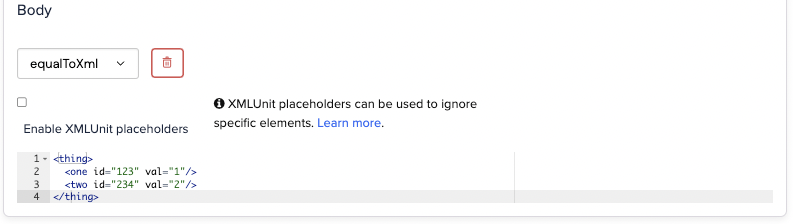 The following XML would match:
```xml theme={null}
```
### Using placeholders to ignore specific elements or attributes
As with JSON equality matching, placeholders can be used with XML to ignore specific
elements or attributes.
Given the following configuration:
The following XML would match:
```xml theme={null}
```
### Using placeholders to ignore specific elements or attributes
As with JSON equality matching, placeholders can be used with XML to ignore specific
elements or attributes.
Given the following configuration:
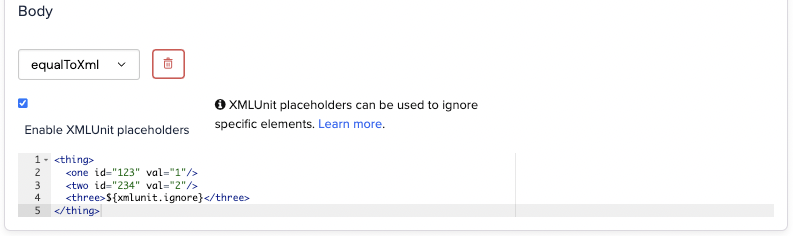 The following XML will match:
```xml theme={null}
999999
```
## Matching via XPath - `matchesXPath`
WireMock Cloud supports matching incoming XML using XPath 1.0 expressions. The most common
use case for this is when accepting XML request bodies, although it can be used
with other request fields such as headers.
The input XML is deemed a match if any elements are returned when the XPath
expression is evaluated against it.
Given a body match on the XPath expression `/things/thing[@name = 'socks']`.
The following XML will match:
```xml theme={null}
999999
```
## Matching via XPath - `matchesXPath`
WireMock Cloud supports matching incoming XML using XPath 1.0 expressions. The most common
use case for this is when accepting XML request bodies, although it can be used
with other request fields such as headers.
The input XML is deemed a match if any elements are returned when the XPath
expression is evaluated against it.
Given a body match on the XPath expression `/things/thing[@name = 'socks']`.
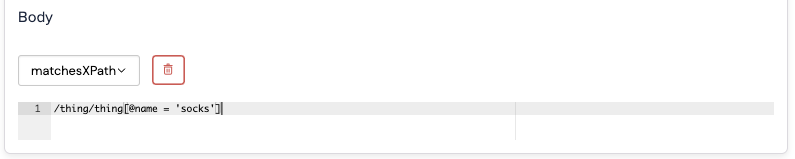 The following XML will match:
```xml theme={null}
```
The following XML will match:
```xml theme={null}
```