> ## Documentation Index
> Fetch the complete documentation index at: https://docs.wiremock.io/llms.txt
> Use this file to discover all available pages before exploring further.
# Keyboard shortcuts
> Reference for the keyboard shortcuts available in the WireMock Cloud web UI
The WireMock Cloud web UI provides keyboard shortcuts for common navigation tasks and actions.
Press `Shift + ?` at any time to open the keyboard shortcuts dialog, which lists the shortcuts
available on the current screen.
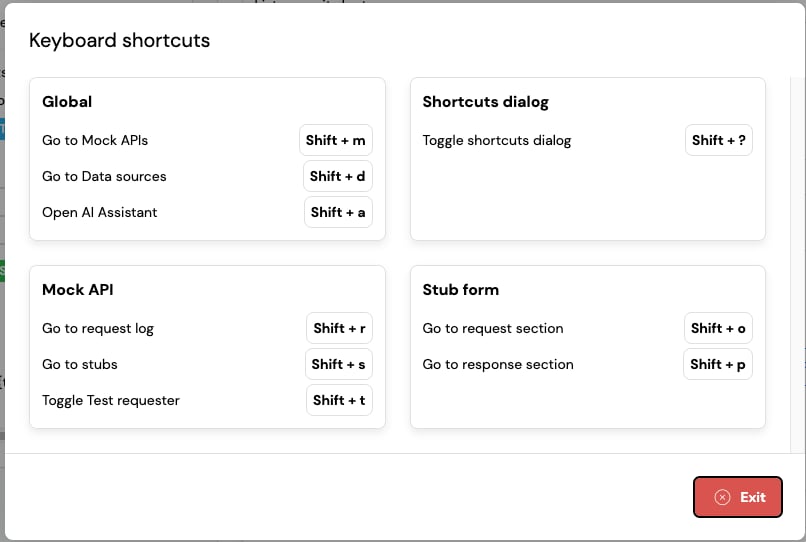 Shortcuts are not triggered while you are typing in a text field.
## Global
These shortcuts are available everywhere in the app:
| Shortcut | Action |
| ----------- | ------------------------------------ |
| `Shift + m` | Go to Mock APIs |
| `Shift + d` | Go to Data sources |
| `Shift + a` | Open the AI Assistant |
| `Shift + ?` | Toggle the keyboard shortcuts dialog |
The AI Assistant is currently in **private beta**. If you would like access to this feature contact us
via the `Get Support` link in the menu bar
## Mock API
These shortcuts are only available when you are inside a mock API:
| Shortcut | Action |
| ----------- | ------------------------- |
| `Shift + r` | Go to the request log |
| `Shift + s` | Go to stubs |
| `Shift + t` | Toggle the Test requester |
## Stub form
These shortcuts are only available when you are viewing or editing a stub:
| Shortcut | Action |
| ----------- | -------------------------- |
| `Shift + o` | Go to the request section |
| `Shift + p` | Go to the response section |
Shortcuts are not triggered while you are typing in a text field.
## Global
These shortcuts are available everywhere in the app:
| Shortcut | Action |
| ----------- | ------------------------------------ |
| `Shift + m` | Go to Mock APIs |
| `Shift + d` | Go to Data sources |
| `Shift + a` | Open the AI Assistant |
| `Shift + ?` | Toggle the keyboard shortcuts dialog |
The AI Assistant is currently in **private beta**. If you would like access to this feature contact us
via the `Get Support` link in the menu bar
## Mock API
These shortcuts are only available when you are inside a mock API:
| Shortcut | Action |
| ----------- | ------------------------- |
| `Shift + r` | Go to the request log |
| `Shift + s` | Go to stubs |
| `Shift + t` | Toggle the Test requester |
## Stub form
These shortcuts are only available when you are viewing or editing a stub:
| Shortcut | Action |
| ----------- | -------------------------- |
| `Shift + o` | Go to the request section |
| `Shift + p` | Go to the response section |