> ## Documentation Index
> Fetch the complete documentation index at: https://docs.wiremock.io/llms.txt
> Use this file to discover all available pages before exploring further.
# Import & Export - WireMock
> Importing and exporting mock APIs between WireMock and WireMock Cloud.
WireMock Cloud and WireMock OSS share the same native JSON format for stubs, so mock APIs
can be imported and exported between the two.
JSON exports can also be stored in source control, and used to clone or move stubs
between WireMock Cloud APIs.
## Importing a mock API into WireMock Cloud from WireMock
Assuming you're running a WireMock instance on port 8080, you can export all the
stubs currently defined via the admin API:
```bash theme={null}
curl --output example-stubs.json http://localhost:8080/__admin/mappings
```
```java theme={null}
HttpResponse response =
Unirest.get("http://localhost:8080/__admin/mappings").asString();
Files.writeString(Paths.get("example-stubs.json"), response.getBody());
```
```javascript theme={null}
const fs = require('fs');
fetch('http://localhost:8080/__admin/mappings')
.then(res => res.json())
.then(json => fs.writeFileSync('example-stubs.json', JSON.stringify(json)));
```
```python theme={null}
import requests
response = requests.get('http://localhost:8080/__admin/mappings')
with open('example-stubs.json', 'w') as stubs:
stubs.write(response.text)
```
```ruby theme={null}
require 'uri'
require 'net/http'
uri = URI('http://localhost:8080/__admin/mappings')
response = Net::HTTP.get_response(uri)
File.write('example-stubs.json', response.body)
```
```php theme={null}
true,
]);
$response = curl_exec($curl);
file_put_contents('example-stubs.json', $response);
```
```go theme={null}
import (
"io"
"net/http"
"os"
)
resp, _ := http.Get("http://localhost:8080/__admin/mappings")
defer resp.Body.Close()
file, _ := os.Create("example-stubs.json")
defer file.Close()
io.Copy(file, resp.Body)
```
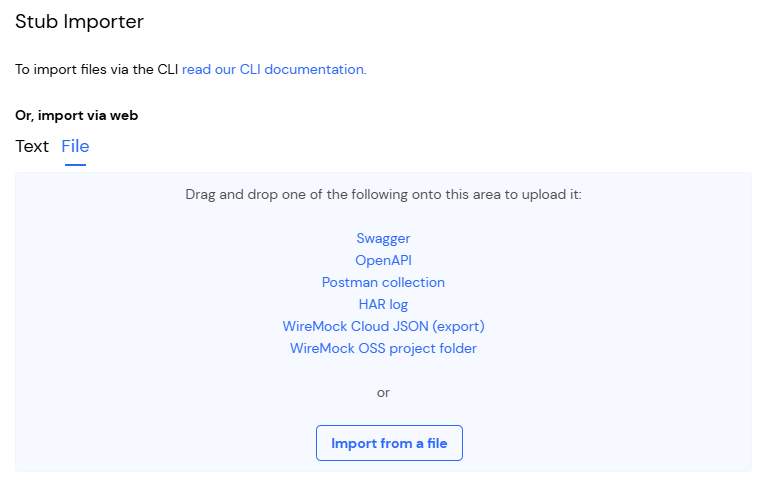
Then to import into WireMock Cloud, open the Import dialog and drop or upload the `example-stubs.json`:
 Stubs that use `response.bodyFileName` are not supported when creating or importing a single stub. The `bodyFileName` field will be rejected. See how this can be worked around by [uploading a WireMock project folder](#uploading-a-wiremock-folder).
## Importing a mock API into WireMock from WireMock Cloud
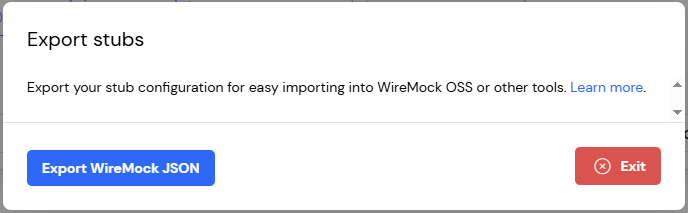
First, export the stubs via the Export dialog in the Stubs page:
Stubs that use `response.bodyFileName` are not supported when creating or importing a single stub. The `bodyFileName` field will be rejected. See how this can be worked around by [uploading a WireMock project folder](#uploading-a-wiremock-folder).
## Importing a mock API into WireMock from WireMock Cloud
First, export the stubs via the Export dialog in the Stubs page:
 Then call the WireMock import API with the file you downloaded:
```bash theme={null}
curl -v -d @example-stubs.json http://localhost:8080/__admin/mappings/import
```
```java theme={null}
HttpResponse response =
Unirest.post("http://localhost:8080/__admin/mappings/import")
.body(Files.readAllBytes(Paths.get("example-stubs.json")))
.asString();
```
```javascript theme={null}
const fs = require('fs');
const options = {
method: 'POST',
body: fs.readFileSync('example-stubs.json')
};
fetch('http://localhost:8080/__admin/mappings/import', options).then(res => ...);
```
```python theme={null}
import requests
with open('example-stubs.json', 'r') as stubs:
response = requests.post(
'http://localhost:8080/__admin/mappings/import',
data=stubs
)
```
```ruby theme={null}
require 'uri'
require 'net/http'
uri = URI('http://localhost:8080/__admin/mappings/import')
http = Net::HTTP.new(uri.host, uri.port)
request = Net::HTTP::Post.new(uri)
request.body = File.read('example-stubs.json')
response = http.request(request)
```
```php theme={null}
true,
CURLOPT_POST => true,
CURLOPT_POSTFIELDS => file_get_contents('example-stubs.json'),
]);
$response = curl_exec($curl);
```
```go theme={null}
import (
"net/http"
"os"
)
file, _ := os.Open("example-stubs.json")
defer file.Close()
resp, _ := http.Post("http://localhost:8080/__admin/mappings/import", "application/json", file)
defer resp.Body.Close()
```
Alternatively you can copy `example-stubs.json` into the `mappings` directory
under your WireMock root and either restart WireMock or make a `POST` request to the
reset API:
```bash theme={null}
curl -v -X POST http://localhost:8080/__admin/mappings/reset
```
```java theme={null}
HttpResponse response =
Unirest.post("http://localhost:8080/__admin/mappings/reset").asString();
```
```javascript theme={null}
const options = { method: 'POST' };
fetch('http://localhost:8080/__admin/mappings/reset', options).then(res => ...);
```
```python theme={null}
import requests
response = requests.post('http://localhost:8080/__admin/mappings/reset')
```
```ruby theme={null}
require 'uri'
require 'net/http'
uri = URI('http://localhost:8080/__admin/mappings/reset')
response = Net::HTTP.post(uri, '')
```
```php theme={null}
true,
CURLOPT_POST => true,
]);
$response = curl_exec($curl);
```
```go theme={null}
import "net/http"
resp, _ := http.Post("http://localhost:8080/__admin/mappings/reset", "", nil)
defer resp.Body.Close()
```
If any of your stubs make use of **response templating** then you'll need to ensure WireMock is started with the `--local-response-templating` CLI parameter or [Java equivalent](https://wiremock.org/docs/response-templating/).
It is not currently possible to import stubs that use the JWT and JWKS template helpers into WireMock.
## Uploading a WireMock folder
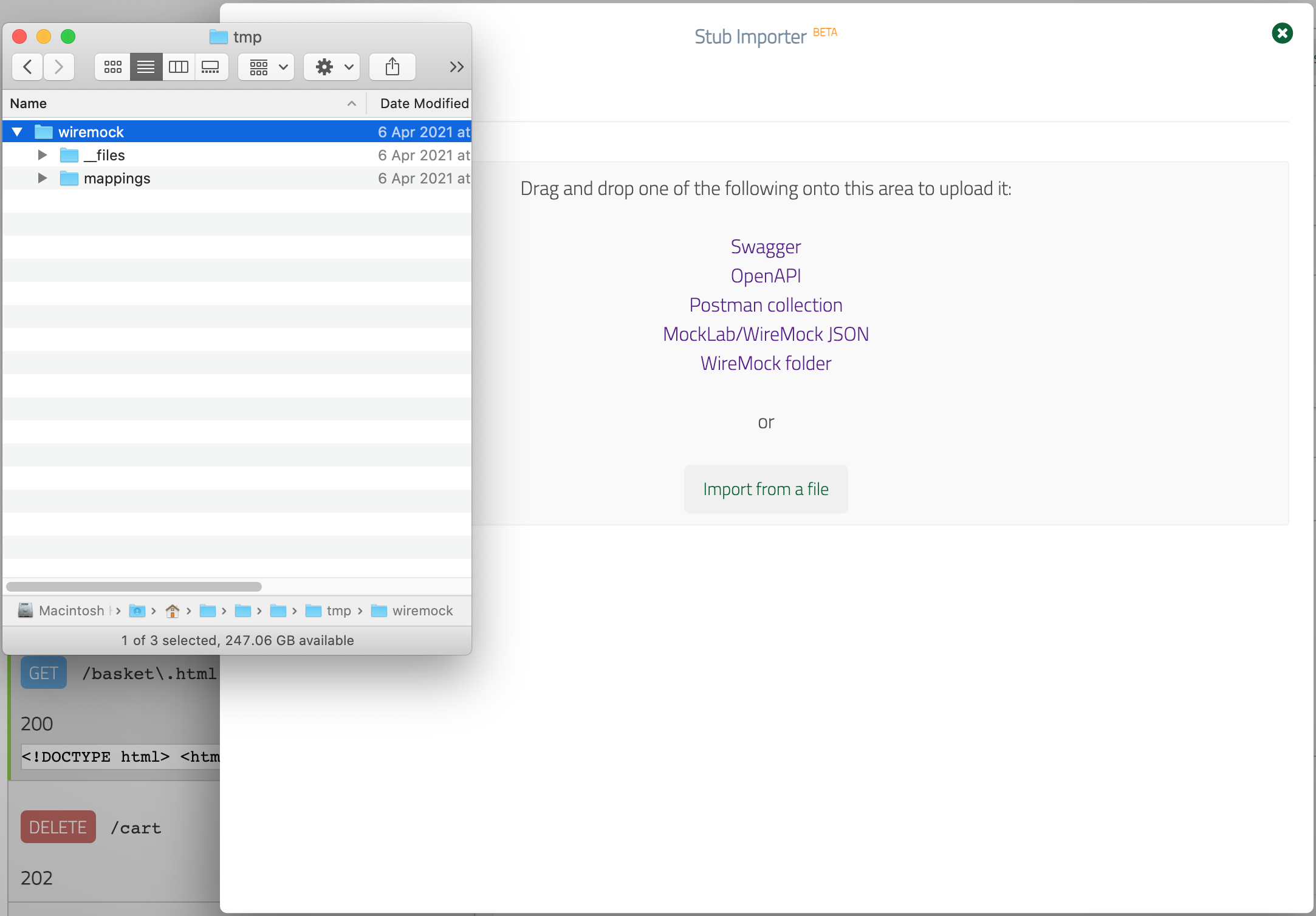
If you have a WireMock project that consists of individual JSON stub mapping
files under the `mappings` directory that refer to response body files under `__files`
you can import this by dragging and dropping the project folder into the dialog.
Unlike the method involving a single JSON file described above, this will cause the
response bodies under `__files` to be inlined.
Then call the WireMock import API with the file you downloaded:
```bash theme={null}
curl -v -d @example-stubs.json http://localhost:8080/__admin/mappings/import
```
```java theme={null}
HttpResponse response =
Unirest.post("http://localhost:8080/__admin/mappings/import")
.body(Files.readAllBytes(Paths.get("example-stubs.json")))
.asString();
```
```javascript theme={null}
const fs = require('fs');
const options = {
method: 'POST',
body: fs.readFileSync('example-stubs.json')
};
fetch('http://localhost:8080/__admin/mappings/import', options).then(res => ...);
```
```python theme={null}
import requests
with open('example-stubs.json', 'r') as stubs:
response = requests.post(
'http://localhost:8080/__admin/mappings/import',
data=stubs
)
```
```ruby theme={null}
require 'uri'
require 'net/http'
uri = URI('http://localhost:8080/__admin/mappings/import')
http = Net::HTTP.new(uri.host, uri.port)
request = Net::HTTP::Post.new(uri)
request.body = File.read('example-stubs.json')
response = http.request(request)
```
```php theme={null}
true,
CURLOPT_POST => true,
CURLOPT_POSTFIELDS => file_get_contents('example-stubs.json'),
]);
$response = curl_exec($curl);
```
```go theme={null}
import (
"net/http"
"os"
)
file, _ := os.Open("example-stubs.json")
defer file.Close()
resp, _ := http.Post("http://localhost:8080/__admin/mappings/import", "application/json", file)
defer resp.Body.Close()
```
Alternatively you can copy `example-stubs.json` into the `mappings` directory
under your WireMock root and either restart WireMock or make a `POST` request to the
reset API:
```bash theme={null}
curl -v -X POST http://localhost:8080/__admin/mappings/reset
```
```java theme={null}
HttpResponse response =
Unirest.post("http://localhost:8080/__admin/mappings/reset").asString();
```
```javascript theme={null}
const options = { method: 'POST' };
fetch('http://localhost:8080/__admin/mappings/reset', options).then(res => ...);
```
```python theme={null}
import requests
response = requests.post('http://localhost:8080/__admin/mappings/reset')
```
```ruby theme={null}
require 'uri'
require 'net/http'
uri = URI('http://localhost:8080/__admin/mappings/reset')
response = Net::HTTP.post(uri, '')
```
```php theme={null}
true,
CURLOPT_POST => true,
]);
$response = curl_exec($curl);
```
```go theme={null}
import "net/http"
resp, _ := http.Post("http://localhost:8080/__admin/mappings/reset", "", nil)
defer resp.Body.Close()
```
If any of your stubs make use of **response templating** then you'll need to ensure WireMock is started with the `--local-response-templating` CLI parameter or [Java equivalent](https://wiremock.org/docs/response-templating/).
It is not currently possible to import stubs that use the JWT and JWKS template helpers into WireMock.
## Uploading a WireMock folder
If you have a WireMock project that consists of individual JSON stub mapping
files under the `mappings` directory that refer to response body files under `__files`
you can import this by dragging and dropping the project folder into the dialog.
Unlike the method involving a single JSON file described above, this will cause the
response bodies under `__files` to be inlined.
 All `response.bodyFileName` references in stub mappings must resolve to a file present in the `__files` directory. Handlebars templates in `bodyFileName` values (e.g. `{{request.pathSegments.[0]}}.json`) are not supported and will cause the import to fail.
## Pushing stubs to WireMock Cloud using WireMock's Java API
Another way to import a WireMock project that has a `__files` directory is to push it using WireMock's Java API.
This method also inlines response bodies before sending them to WireMock Cloud:
```java theme={null}
WireMock wireMock = WireMock.create()
.scheme("https")
// The domain name of the mock API you wish to import into
.host("my-api.wiremockapi.cloud")
.port(443)
// API token from https://app.wiremock.cloud/account/security
.authenticator(new ClientTokenAuthenticator("mytokenabc123"))
.build();
// The root directory of the WireMock project, under which the mappings and __files directories should be found
wireMock.loadMappingsFrom("/wiremock");
```
All `response.bodyFileName` references in stub mappings must resolve to a file present in the `__files` directory. Handlebars templates in `bodyFileName` values (e.g. `{{request.pathSegments.[0]}}.json`) are not supported and will cause the import to fail.
## Pushing stubs to WireMock Cloud using WireMock's Java API
Another way to import a WireMock project that has a `__files` directory is to push it using WireMock's Java API.
This method also inlines response bodies before sending them to WireMock Cloud:
```java theme={null}
WireMock wireMock = WireMock.create()
.scheme("https")
// The domain name of the mock API you wish to import into
.host("my-api.wiremockapi.cloud")
.port(443)
// API token from https://app.wiremock.cloud/account/security
.authenticator(new ClientTokenAuthenticator("mytokenabc123"))
.build();
// The root directory of the WireMock project, under which the mappings and __files directories should be found
wireMock.loadMappingsFrom("/wiremock");
```